Razer Kiyo V2 Review
Fast Facts
Razer Kiyo V2
Manufacturer: Razer
Max Video Resolution: 4K 30FPS / 1080p 60FPS
Image Sensor: 8.3 MP Sony STRAVIS Sensor
Still Image Resoluion: 3840 x 2160
HDR Support: Yes (at 30FPS)
Connectivity: USB-C (supporting USB 3.0)
Focal Length: 3mm (20mm for full formate equivalent)
Mic: Stero Microphone
Audio Codec: 16bit / 48 kHz
Noise Cancelling: Yes
Website: https://www.razer.com/gb-en/streaming-cameras/razer-kiyo-v2
Software: Razer Synapse
Platforms: Windows & macOS
Weight: 255g
Release Date: Black – 10/2025, White & Quart – 02/2026
Price: £149.99
Product provided for review purposes
In 2026, being seen online has become easier than ever. Creators have more outlets than ever to get their content out there and online meetings are just part of our daily working lives. That said, there are also more webcams out there than you can shake a stick at. From ones that are built into laptops and displays, to external ones, people have so much to pick form and it can get a little tricky to decide which one is worth investing in. Razer have given buyers another one to consider with the Kiyo V2 and here at Rapid Reviews we’ve been lucky enough to test one out. Is the Kiyo V2 a game changer? Let’s find out.
Tech Specs
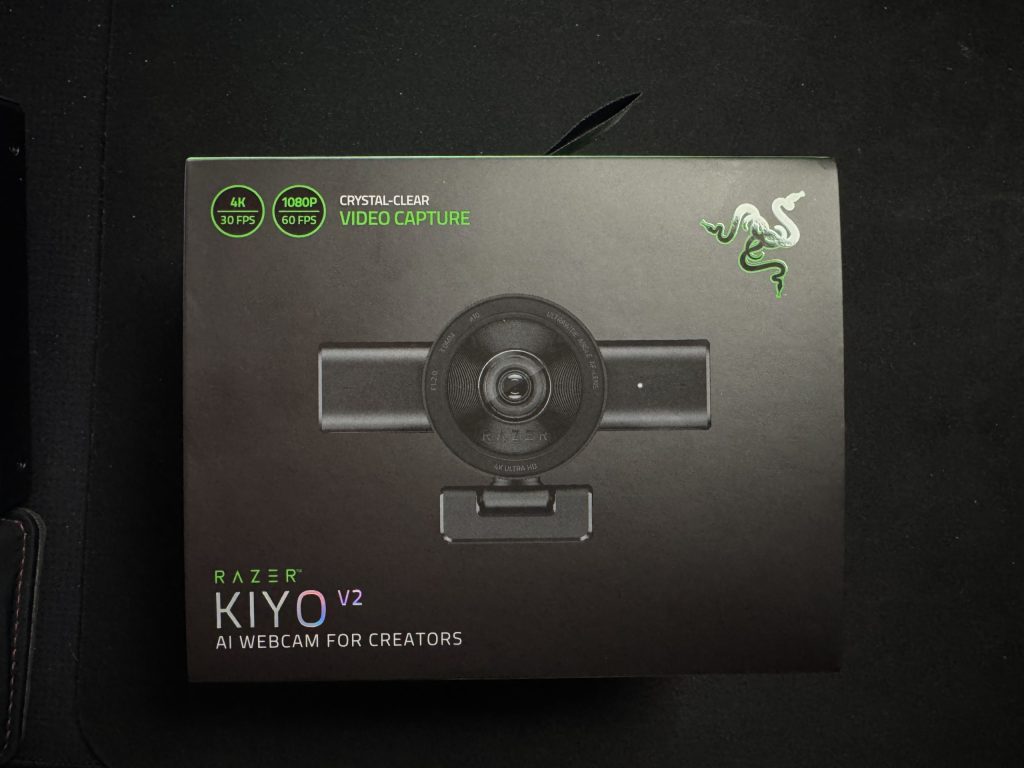
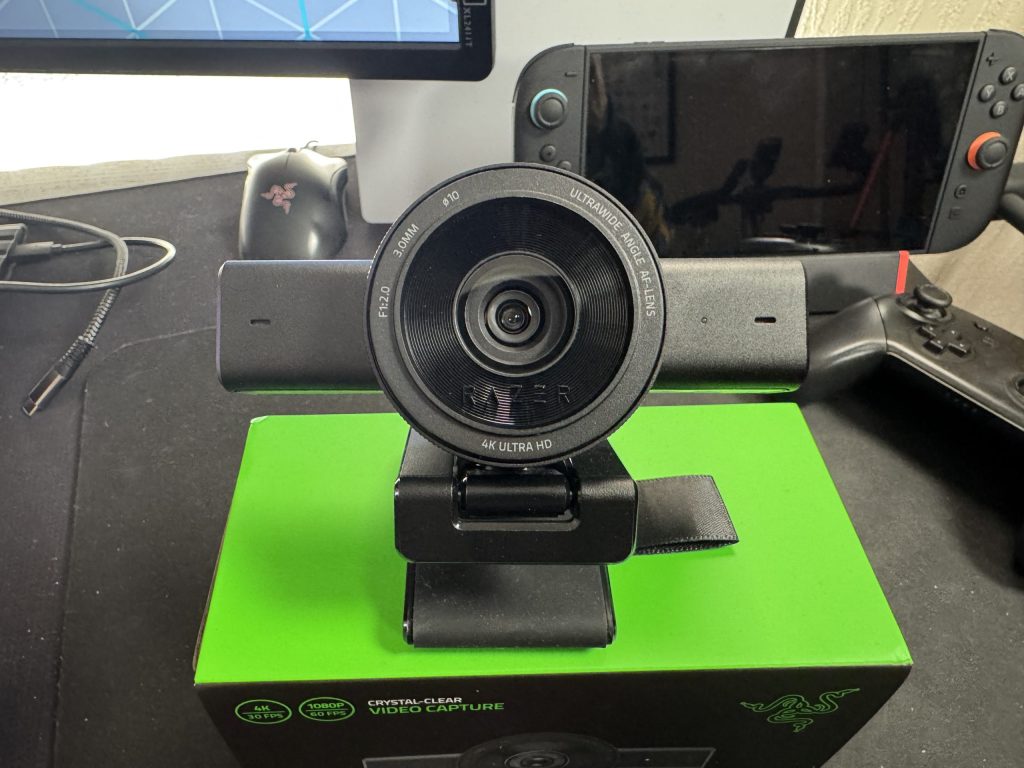
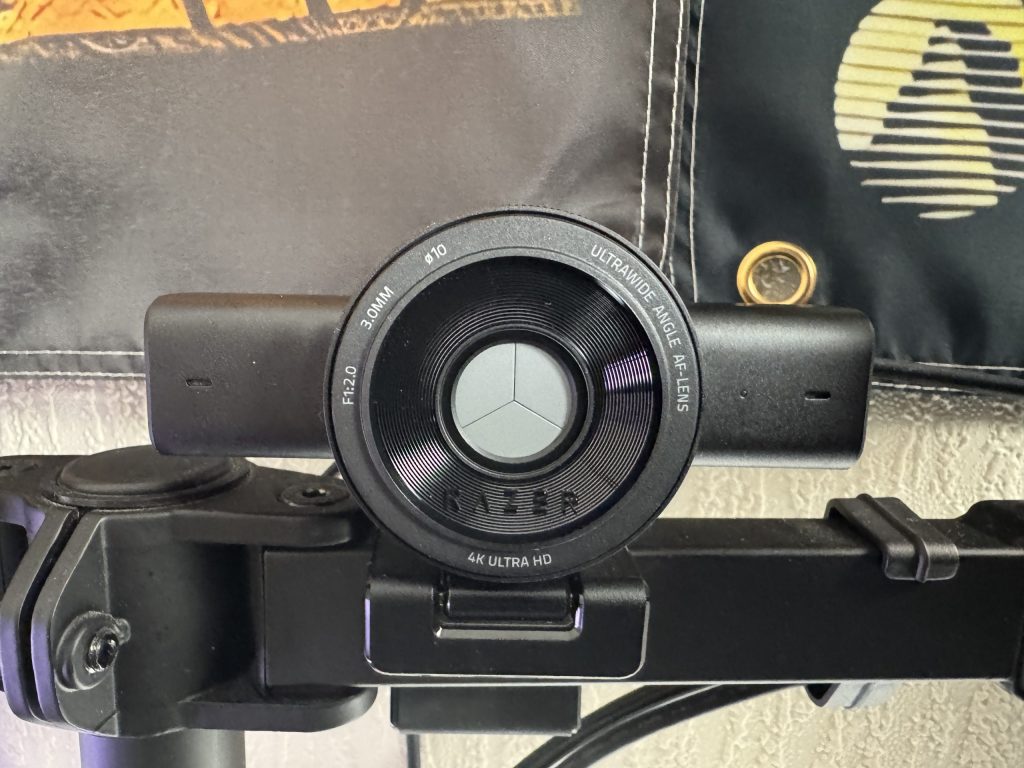
Let’s get the nitty gritty out of the way first. The Razer Kiyo V2 boasts some impressive specifications, notably the ability to capture footage at up to 4K resolutions at 30FPS (lower resolutions can go up to 60FPS). All done via an 8.3 MP Sony STRAVIS sensor with a 93 degree wide angle lens, featuring an included privacy shutter There’s also a built in stereo microphone with noise cancelling, if you happen to not have another microphone available. It’s also a solid piece of kit, weighing in at 255g and supported by an L-shape mount, meaning you’re gonna have a lot of options to position the Kiyo V2. Finally (and depending on your perspective, most importantly) the Kiyo V2 comes in three colours; black, white and quartz (baby pink).
Included Software
(It is really important to note that this camera was tested on a MacBook Pro with M2 Pro chipset running macOS 15.7.4)
For purchasing the Razer Kiyo V2, user will be given a “Pro” licence for Camo Studio to allow them to get more from their camera. From configuring filters, colours, focus and a plethora of other variables, users can also turn on auto framing to ensure they stay in the centre of the video regardless of how they move. We would be talking about these features in this review if it was something that was exclusive to the Razer Kiyo V2, however it is not. Granted, users get a lifetime licence worth just shy of £80 included with their purchase of the Kiyo V2, but after testing with the built in FaceTime HD camera of the MacBook Pro as well as another third party webcam (OBSBot Tiny 2 Lite) we did not find any differences in available features. That means that we cannot review the features that Camo Studio enables as reasons to purchase the Razer Kiyo V2, as they are not exclusive to the Razer Kiyo V2 alone.
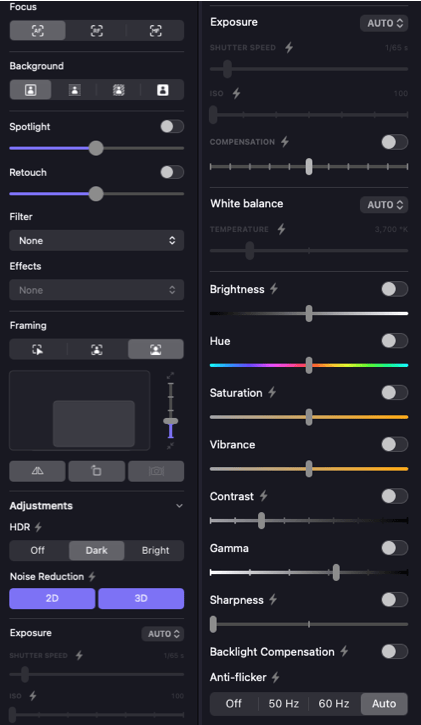
Razer users will be familiar with their Synapse software, and the Kiyo V2 also utilises this. After you’ve setup your account, logged in, granted permissions to everything and restarted the app about 10 times (it wasn’t the smoothest setup experience on macOS) you’ll be able to configure the webcam and set it up how you like. The setup experience on Windows may be smoother, but the Kiyo V2’s box does boast that it supports macOS so that’s all we can comment on. We also noticed a repeating message about the camera having differing settings compared the Synapse app, which we could not eliminate no matter what troubleshooting steps we took.

Image tweaking
Even without the Camo Studio app, there’s still plenty options to choose from in Razer’s Synapse app. As well as the ability to zoom the camera in and then move the image around to focus on part of what the camera’s sensor is picking up. This is a really handy feature if you want to crop out part of your background (which we’ve definitely done in our usage so you can’t see the laundry that’s drying). Speaking of the zoom, users can set 5 presets (along with shortcut keys) to swap between different zoom and position setups, which is great if you’re using this with streaming software and different scenes.
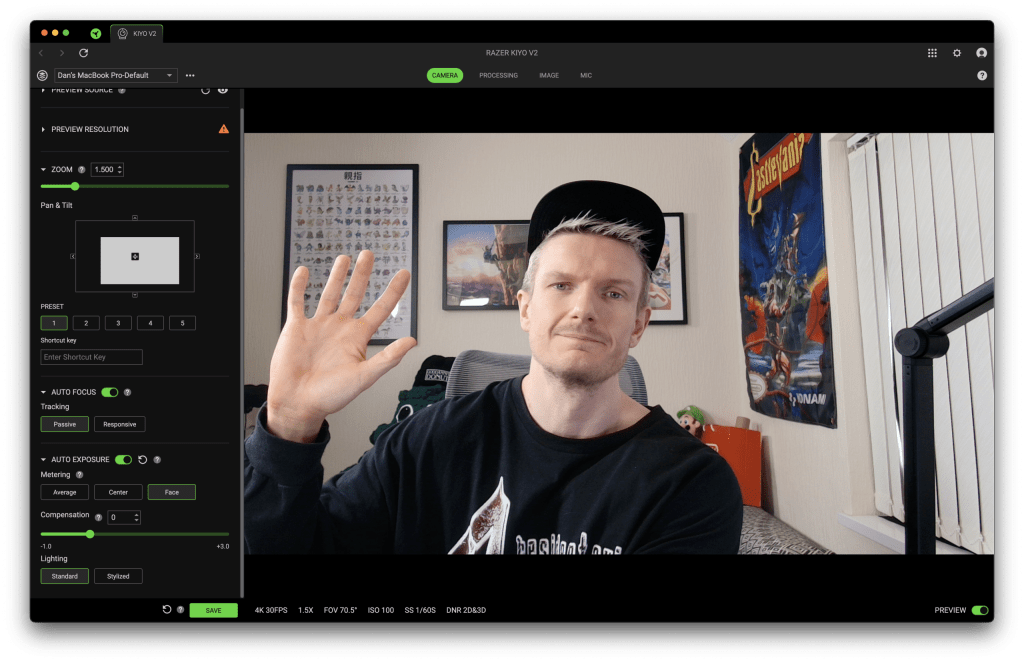
But how is the image quality? The Razer Kiyo V2 does a very good job with producing a clear and crisp image. There is some visible noise in certain lighting conditions, but there are a lot of tweaks that can be made to combat this. Compared to the built in FaceTime HD camera of the MacBook Pro, the Kiyo V2 is once again a clear winner. Offering a much crisper image without the “smoothed over” look that Apple seems to have integrated into the built in camera.

It should be noted that no setting can really change how slow the camera is to adjust its auto focus too. Now granted most people won’t be holding things up in-front of their face when using this camera, but when the focus does shift you can almost see the cogs whirring in real time.
The Built-In Microphone
Let’s be totally honest, you’re not buying a webcam like this to use the built in mic. However, if you find that you do end up needing to use it then users will be plenty surprised. Aside from offering a mode called “Crystal Clear Voice” that helps isolate the users voice more, there is also adaptive noise reduction that can be toggled on or off. In comparison to the MacBooks built in microphone there is a clear difference when using the Razer Kiyo V2. Given the choice it is an absolute no brainer that the microphone the Razer Kiyo V2 boasts would be preferable as it walks all over the MacBook’s built in one.
Ease Of Use
The Razer Kiyo V2 has been used for multiple live streams and YouTube recording sessions since we had our hardware arrive, and once we figured out how to integrate it into OBS Studio it’s been really straight forward to use. There’s nothing remarkable here if you’ve used external cameras before, but just remember to configure the Razer Synapse app correctly first to ensure you get the most out of the camera when broadcasting.
Conclusion
From premium-feel build quality, to 4K video capture, and even a mic that is not to be sneezed at, the Razer Kiyo V2 is a solid webcam. Users who are already familiar with the Razer product line and use their software already will have an easy time getting the most from this camera, but if this is your first Razer product then you might want to consider some other options before investing your hard earned money. The inclusion of the Camo Studio pro license is a nice touch, but it shouldn’t be the reason you buy the Kiyo V2. Razer have created a great 4K webcam that’s let down by the included software feeling convoluted and somewhat bloated.
Rapid Reviews Rating

3.5 out of 5
You can purchase the Razer Kiyo V2 webcam from Razer by clicking here

TOZO Open EarRing Earphones Review

Final Fantasy XVI Review
You May Also Like

QuadLock Wireless CarPlay Adaptor
Gioteck TX-50 Review