
Rapid Reviews UK presents the Summer of Tech 2025
Welcome to the 2025 edition of the Rapid Reviews UK Summer of Tech!
Over the next few weeks, I will share my personal experiences with the tech and gadgets I’ve been using over the Summer. Read on to find out more about everything from the new Eufy E28 RoboVac, the Nintendo Switch 2, quality Apple gear from SandMarc, to the new headphones and phone from Nothing.
Gaming Gear
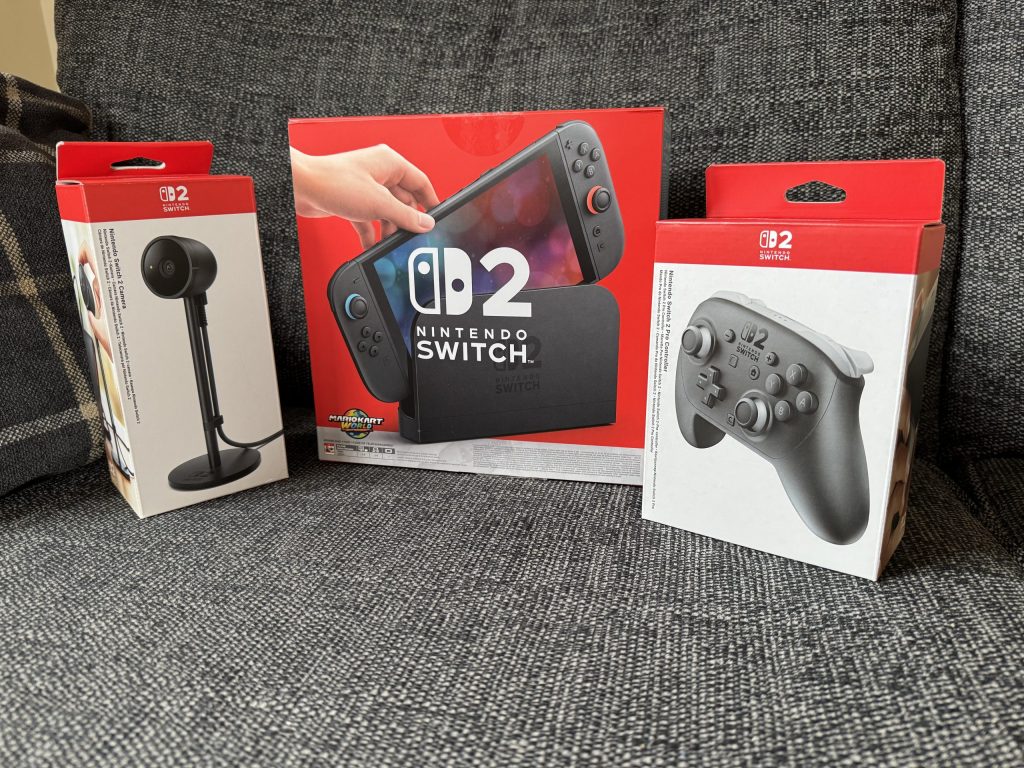
The Summer Holidays provide an excellent opportunity to tackle your gaming backlog, and this year I’ve been fortunate enough to get my hands on some fantastic new gaming tech. First up, the recently released Nintendo Switch 2.
Nintendo Switch 2
The Switch 2 is finally here, and after getting my hands on it, I can tell you it’s a solid upgrade—even if it feels more like a supercharged version of the original rather than a brand-new console. It’s got the same hybrid magic we all loved, but with a few key improvements that make a world of difference.



First, let’s discuss the screen. The new 7.9-inch LCD is a significant improvement. Although it’s not an OLED (I’m certain an OLED version will be released in the future), everything looks brighter and more vibrant. Playing games like Mario Kart World on the go is an absolute treat, and the 1080p resolution with VRR in handheld mode makes the graphics pop. When you dock it to the TV, you can achieve up to 4K resolution with HDR, providing a significant upgrade for those who prefer to play on a big screen. The dock itself is an improvement over the original Switch, featuring a built-in fan that keeps it cool while playing graphically intensive games.
Performance-wise, it’s a big step up. Seeing games like Cyberpunk 2077 run on a Nintendo handheld is incredible. It’s not PS5-level, but it’s smooth enough to impress, especially on the go. Load times are snappier too, which is a godsend for sprawling games like The Legend of Zelda: Breath of the Wild – Nintendo Switch 2 Edition. Additionally, backwards compatibility ensures that my old Switch games look and run better, even without paid upgrades. Super Mario Odyssey feels like a new game at higher framerates.
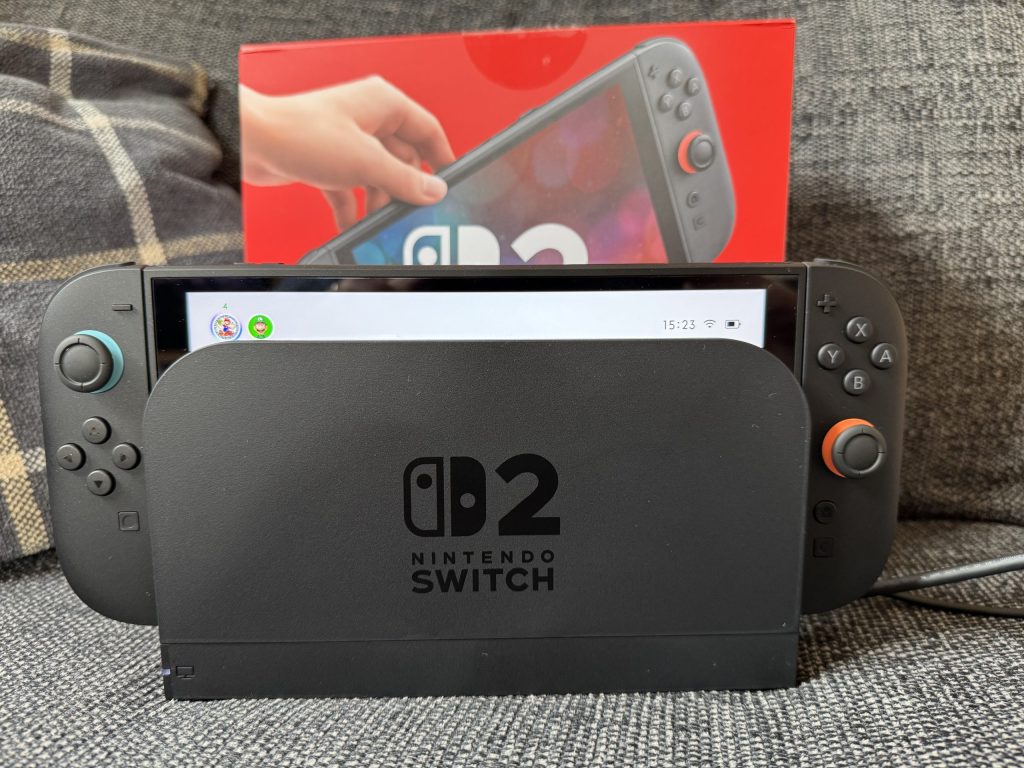
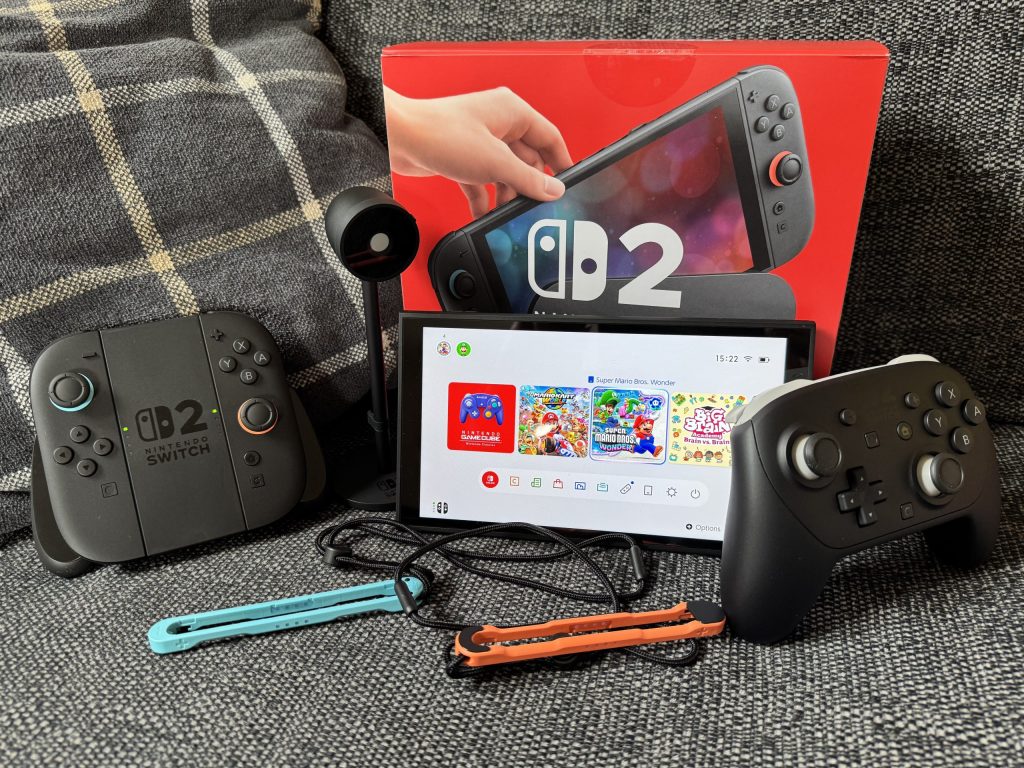
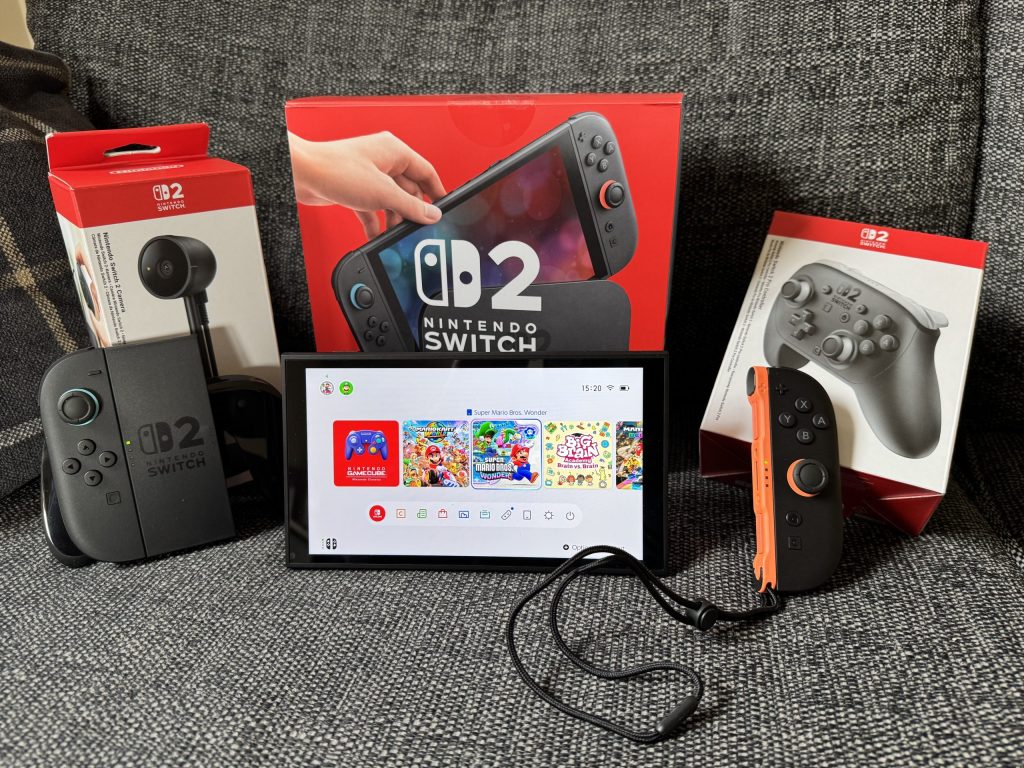
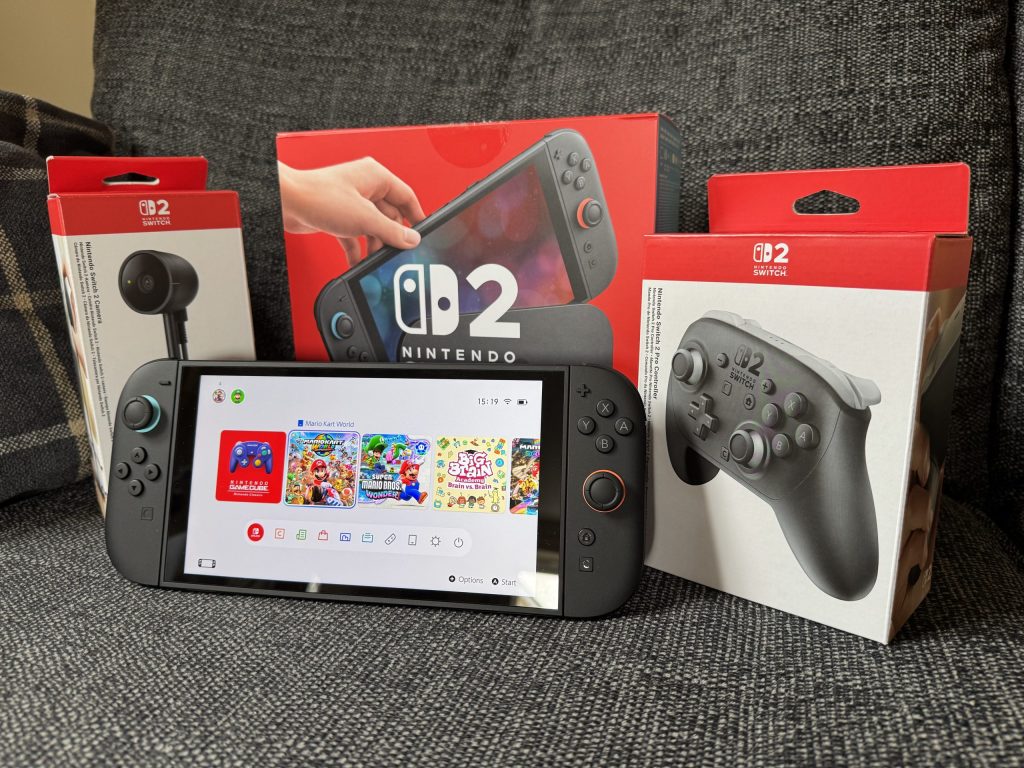
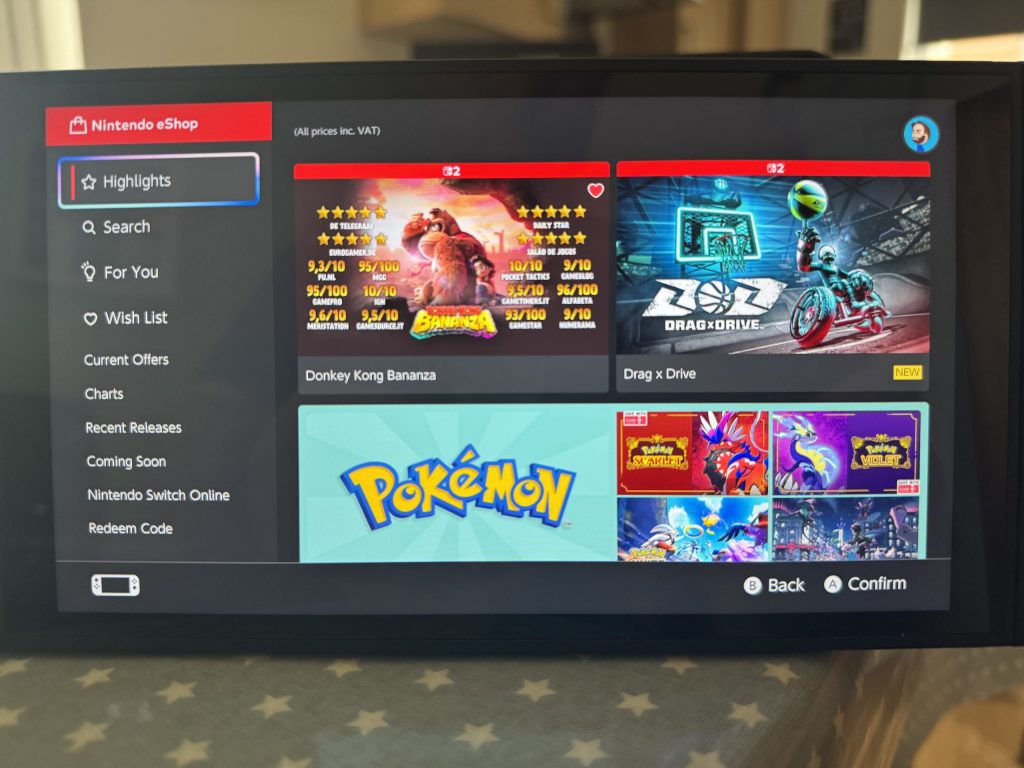
The eShop is far less of a slog now, and the new GameChat feature is slick for chatting with friends while racing in Mario Kart World or hunting bananas with a friend in DK Bananza.
The new Joy-Con 2 controllers are also a welcome change. They’re a little chunkier, which makes them feel more comfortable in your hands, and the magnetic attachment system is a small but clever touch that, despite a bit of wiggle, feels way more secure. It still brings a smile to my face every time I detach and reattach the Joy-Cons. Whether the new Joy-Cons fall victim to the dreaded stick drift remains to be seen, but I haven’t experienced it yet.
One of my favourite features, though, has to be the mouse controls in the Joy-Cons. It’s surprisingly accurate, making navigation of certain menus and even playing specific games feel remarkably intuitive. Being able to sculpt rock in the latest Donkey Kong Bananza (read our review here) feels superb.
While the console is excellent, it’s not without a few minor issues. The battery life, when playing certain games, is slightly worse than that of the original Switch. However, it is worth bearing in mind that it’s running far more graphically demanding games. Additionally, Nintendo has enhanced the kickstand and included an extra USB-C port on top of the Switch, allowing you to play and charge simultaneously.
Additionally, the price point is higher than the original, which may put some people off. Furthermore, you need to use the new microSD Express cards, which means an additional cost to consider. While the magnetic Joy-Cons are cool, the new system means your old accessories won’t work. Lastly, the UI is functional but boring. It’s pretty much a carbon copy of the original Switch. No custom themes? Come on, Nintendo, it’s 2025.
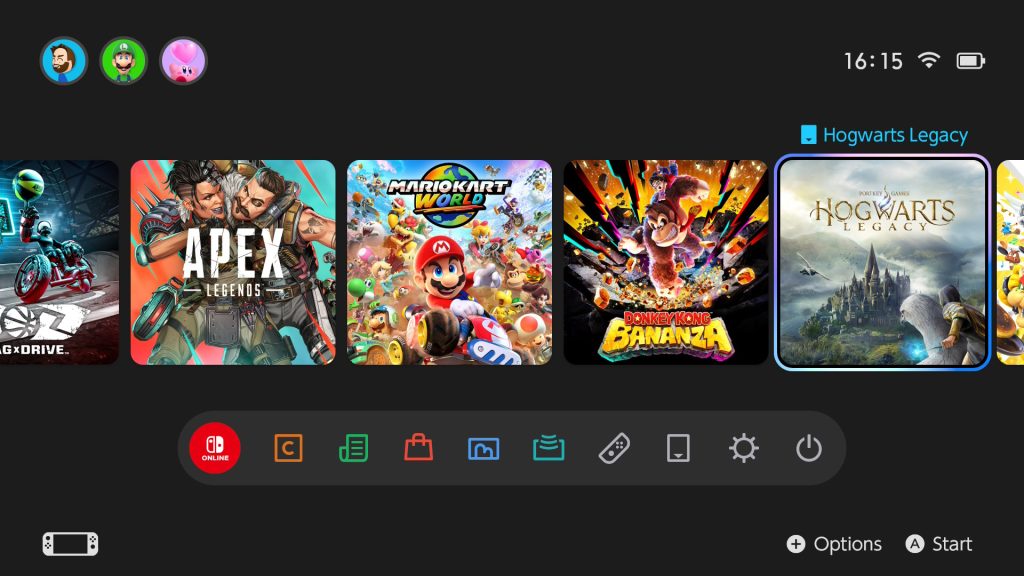
The Switch 2 is a fantastic evolution of the Switch platform. It doesn’t reinvent the wheel, but it polishes every part of the experience, from the screen to the controllers to the raw power under the hood. If you’re new to Switch or a hardcore fan, it’s a no-brainer. It’s also the best way to experience your old favourites with a fresh new coat of paint. If you’re on the fence, wait for more exclusives. Either way, the Switch 2 has got me excited for what’s next.
Find out more avout the exciting features of the Switch 2 on the Nintendo UK website.
Audio Products
Up next are the audio products I’ve been using. Firstly, we have the brand-new Nothing Headphone (1).
The Nothing Headphone (1) are the first over-ear headphones from Nothing, a brand renowned for its sleek, transparent, and unique designs. Coming in at £299, they’re competing with more established brands, such as Sony and Bose. I’ve been using these for a while now, and I’d like to share my thoughts on them.
Futuristic Throwback
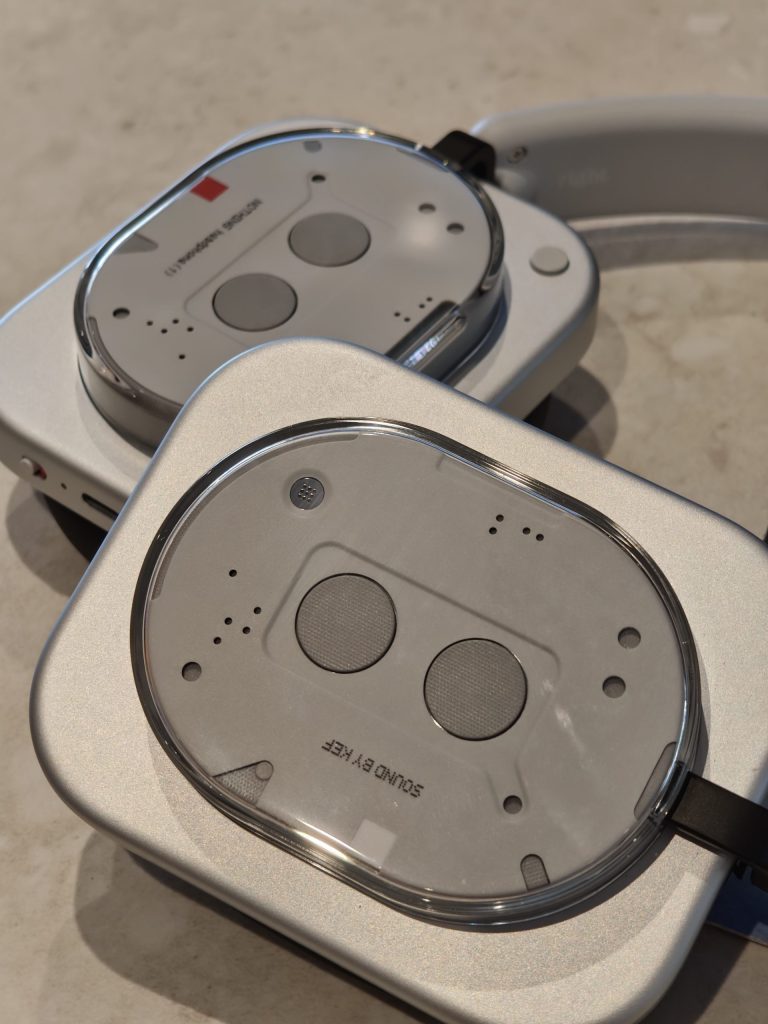
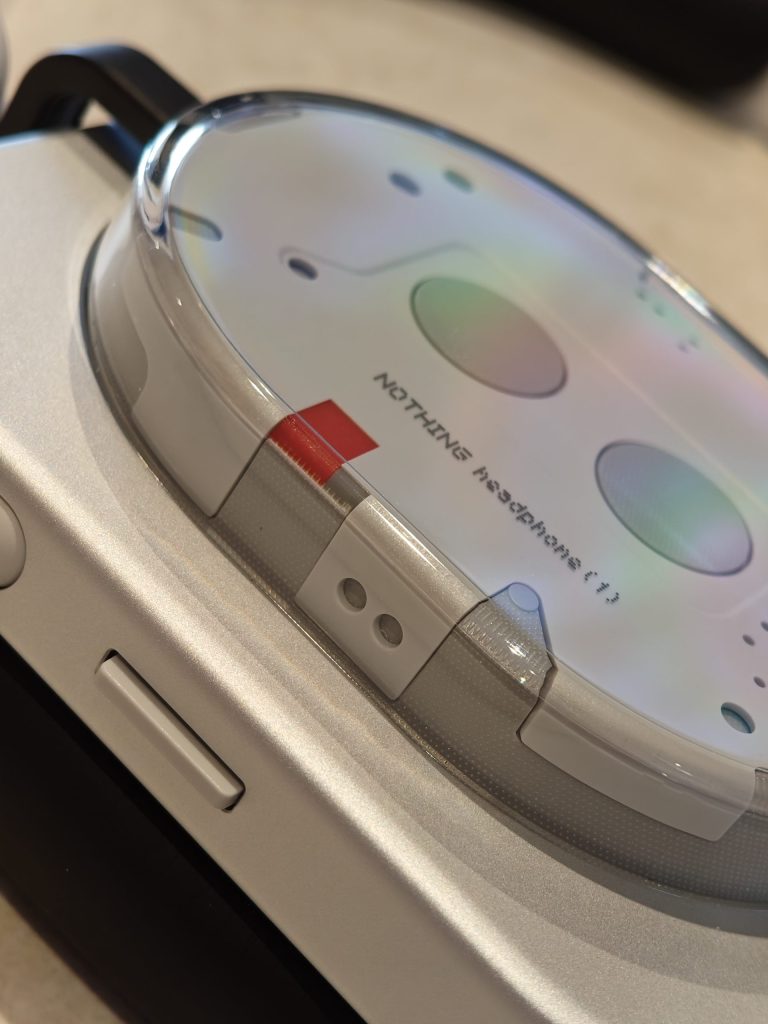
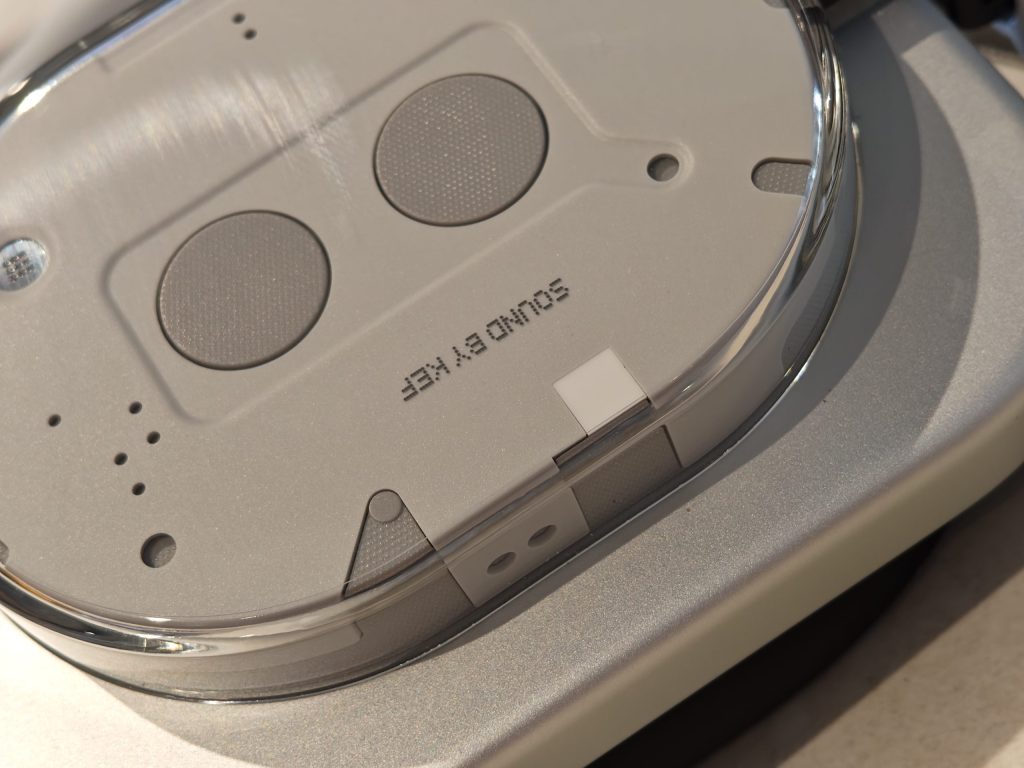
These headphones are cool. They remind me of a retro cassette player, and I love the transparent panels that Nothing has become synonymous with. Made with an aluminium alloy and plastic, and at 329g, they’re not the lightest headphones on the market. However, they’re lighter than my AirPods Max. The memory foam earpads and headband are comfy for long listening sessions.
Features aplenty
The Nothing Headphone (1) has all the features that a pair of headphones at this price point should have, including ANC, which is good at blocking out most sounds, although it’s not quite at the level of the Apple AirPods Max. You also get transparency mode, which does work but can sound a little hissy. Other features include spatial audio, over-ear detection, and a low lag mode, which is particularly useful for gaming.
They have Bluetooth 5.3, which isn’t the latest version. However, I have never lost connection to the devices that I’ve connected to. The Nothing Headphone (1) provide the most stable connection I’ve ever had with a pair of headphones. In terms of codecs, you’re getting SBC, AAC, and LDAC for hi-res audio on Android, plus wired options (3.5mm and USB-C).
Battery life is impressive—35 hours with ANC on and 80 hours off, surpassing many competitors. A quick 5-minute charge provides around 5 hours of juice with ANC off, which is extremely handy. They’re also IP52 water and dust-resistant, so light rain or gym sweat won’t kill them.
Where the Nothing Headphones (1) truly stand out are the intuitive controls. There are no finicky touch controls—just physical buttons: a roller for volume and noise control, a paddle for answering calls and skipping and scrubbing through tracks in supported apps, as well as a customisable button for Voice AI and an interesting feature called Channel Hop, which lets you switch between recent media and favourites. All of the buttons feel great to use, though the Bluetooth pairing button is slightly hidden.
Sound Quality
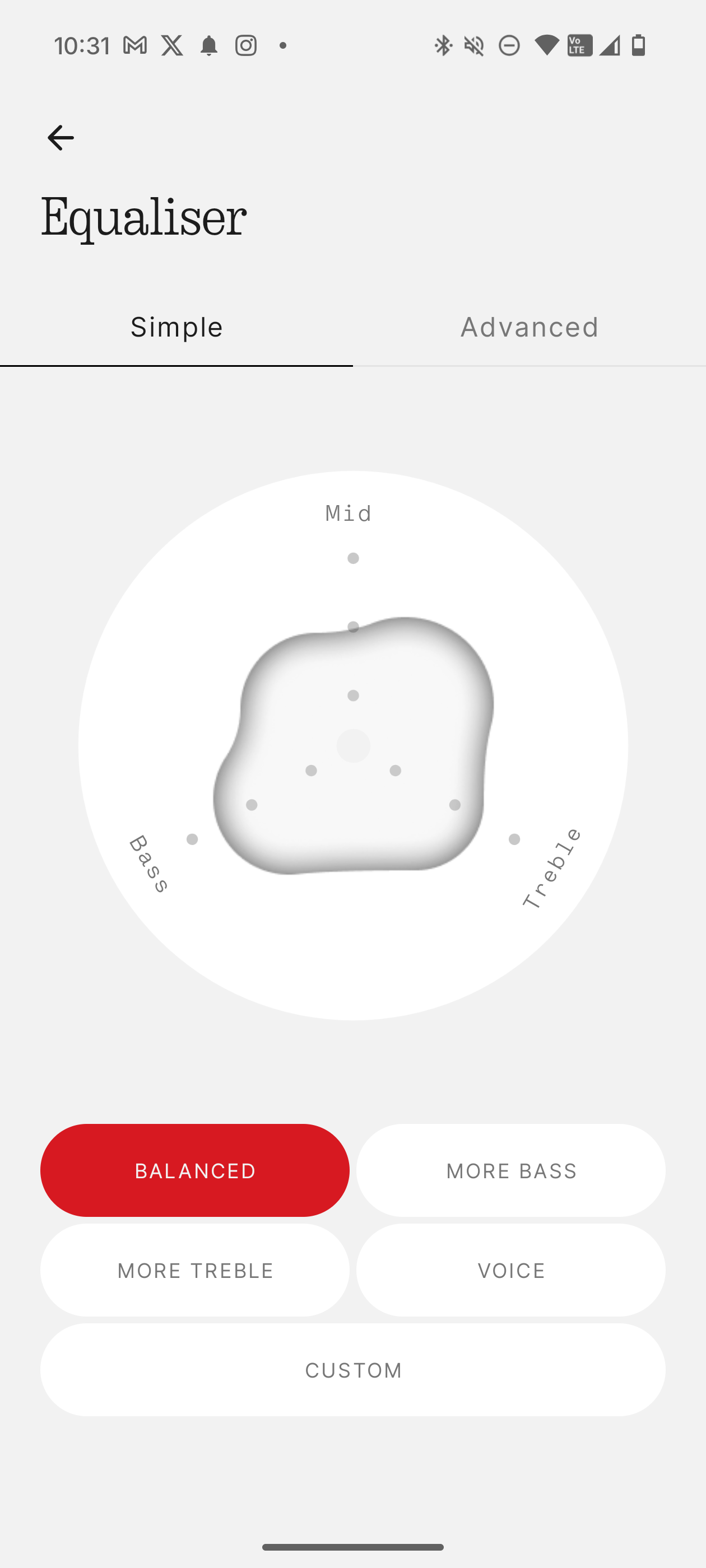
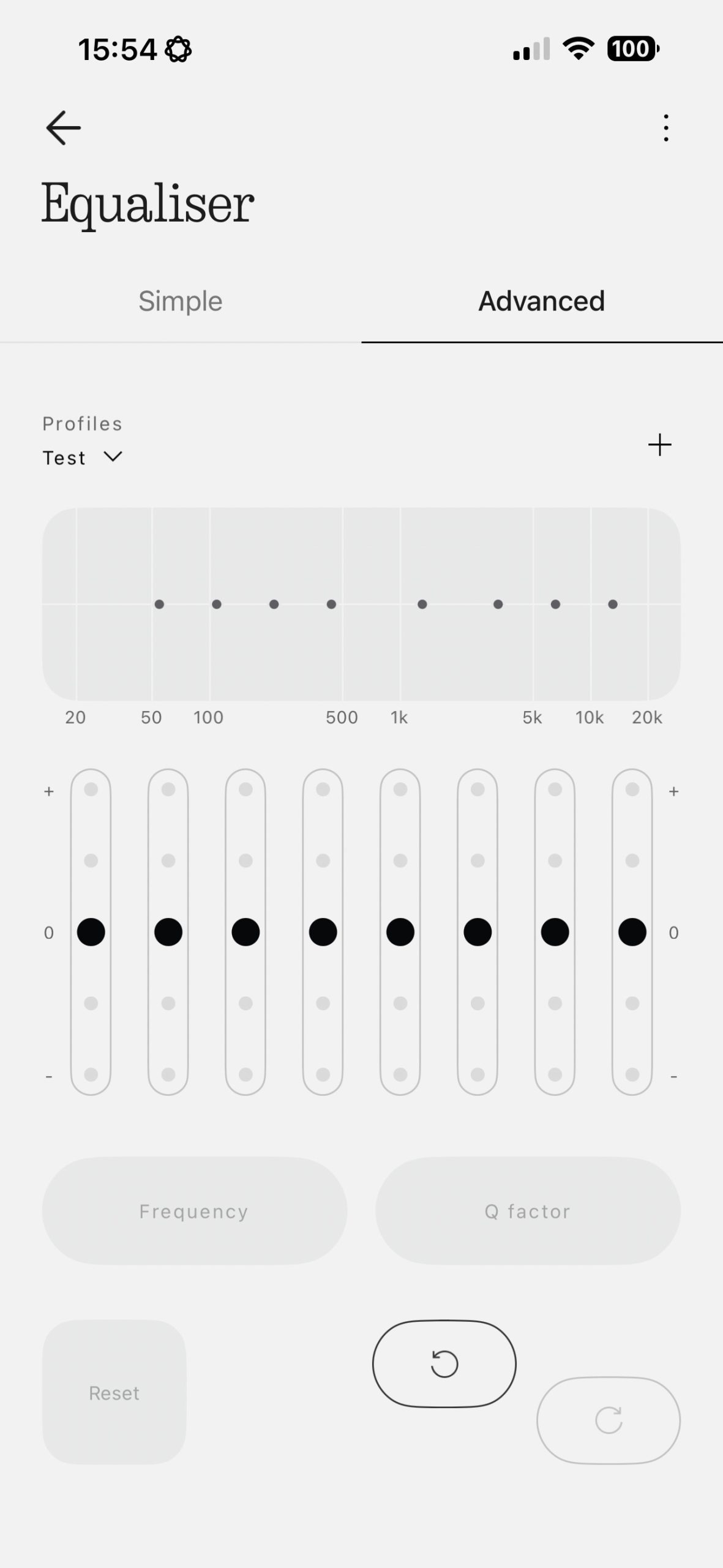
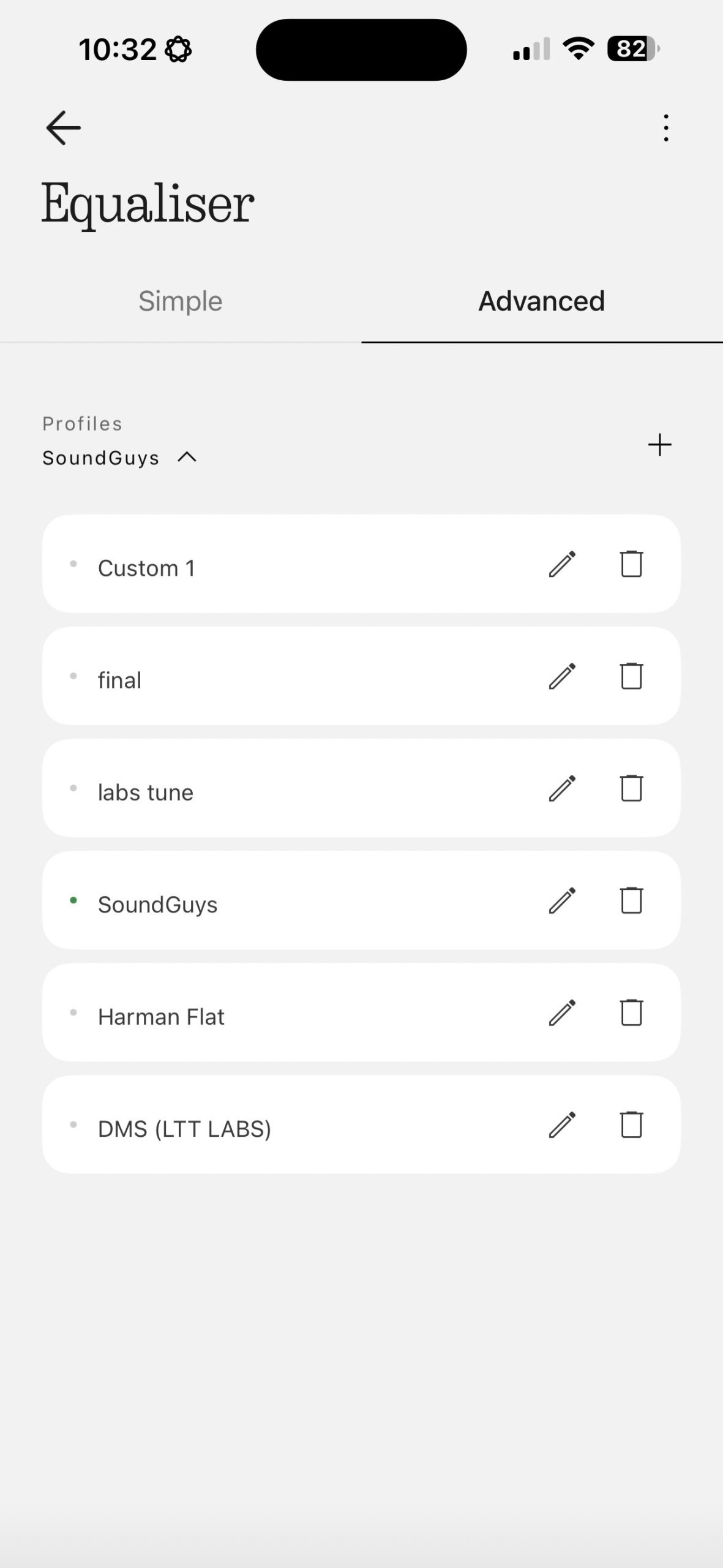
Nothing has collaborated with the well-known British audio company KEF to tune the Headphones (1). The result is a clear sound with no distortion and solid bass. Additionally, the equaliser (EQ) in the app is a game-changer. By spending just a few minutes adjusting the treble and mids, the Headphones (1) come alive with crisper vocals, powerful bass, and an expanded soundstage.
The Nothing Headphone (1) is a strong debut, offering a more affordable option than Sony’s WH-1000XM6 (£399) or AirPods Max (£499), with a standout design, impressive battery life, and a killer app. The controls are on point, and the IP52 water and dust-resistant is a nice bonus.
They sound good out of the box and can sound great if you’re willing to experiment with the advanced EQ. Alternatively, you could have someone else do the work and import their EQ settings. If you’re into customising your audio and want headphones that look like Nothing else, these are a great grab.
You can learn more about the Nothing Headphone (1) on the following link.
Nothing Phone (3)
Next up in the Summer of Tech is the latest phone from Nothing. I’ve been spending some time with the Nothing Phone (3) and I’m ready to share my thoughts.
The Nothing Phone (3) is here, and it’s just as bold and polarising as its predecessors. With its signature transparent design, it stands out in a sea of same-looking smartphones.
Futuristic Design
I’ve always loved the signature Nothing vibe – transparent back, funky camera placement, and a design that feels like it belongs on a sci-fi movie set. The black colour way is super clean, featuring a grid-like pattern and a subtle red LED accent that blinks when recording video.
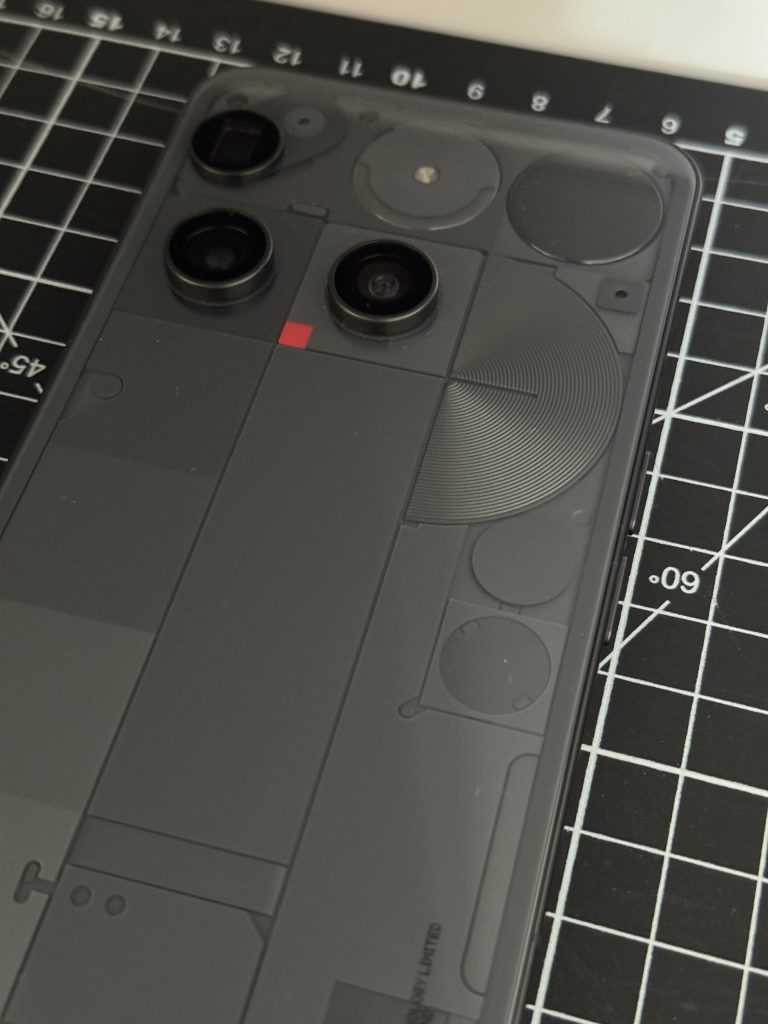
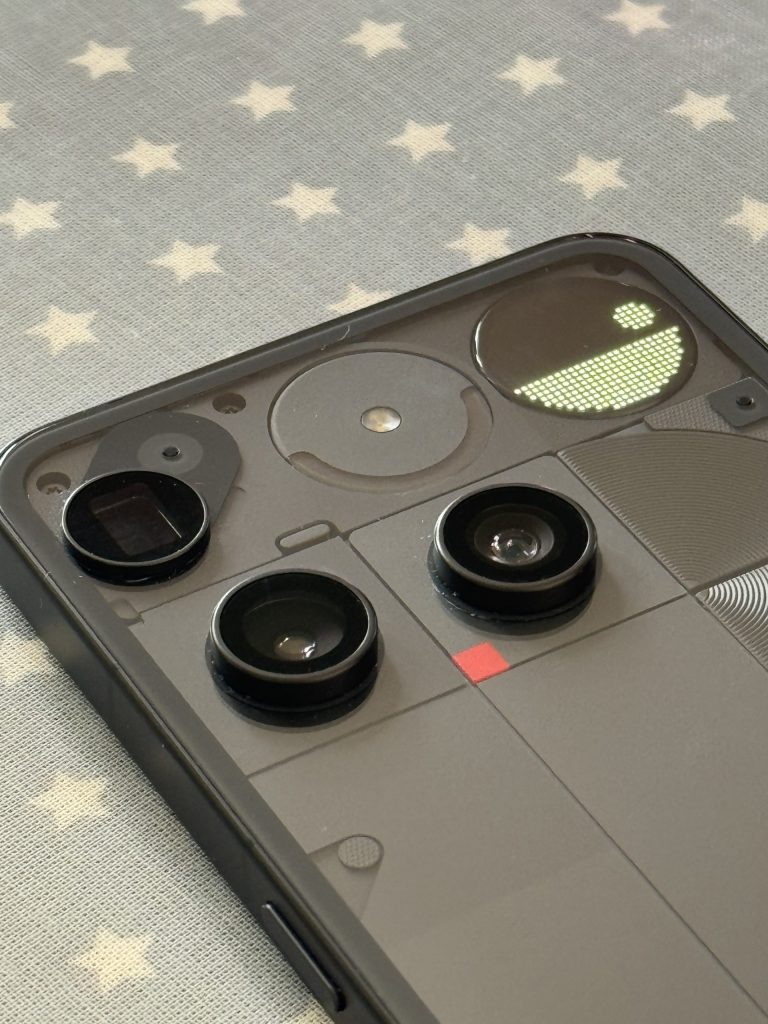
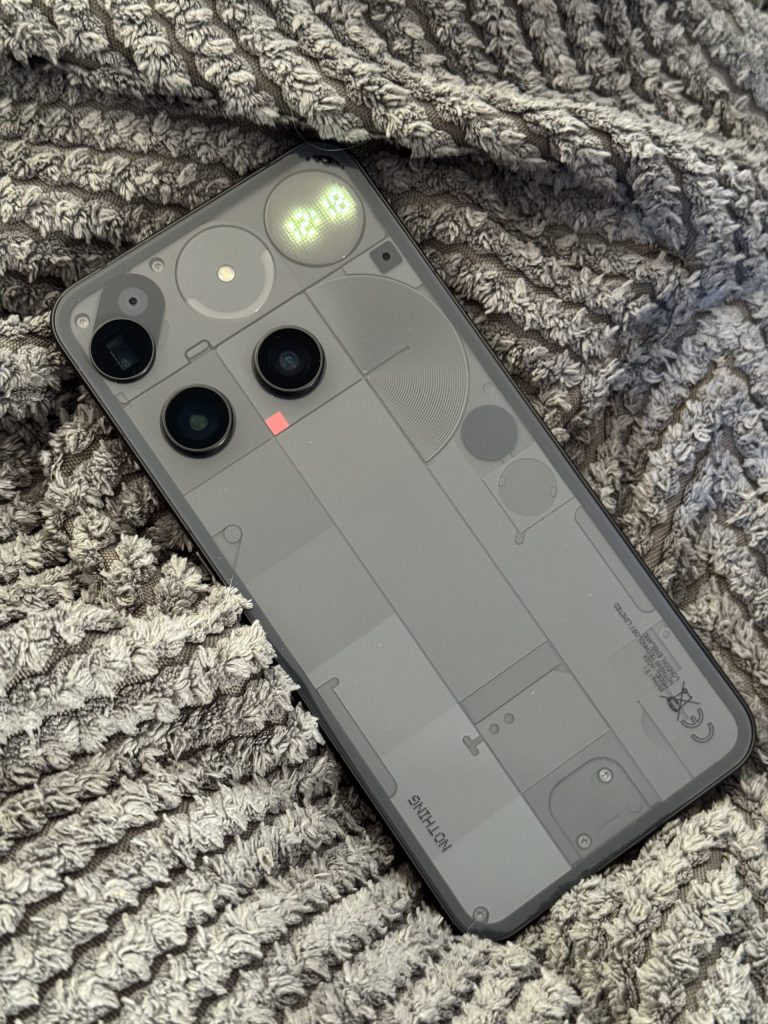
It feels solid with a 100% recycled aluminium frame, Gorilla Glass 7i up front, and Victus on the back. At 218g and 8.9mm thick, it’s a bit chunky, but it feels premium in hand, with flat edges that make it easy to grip.
Delightful Display
The 6.67-inch AMOLED screen is stunning to look at! With a 1260 x 2000 resolution, a buttery smooth 120Hz refresh rate, and a 1000Hz touch sample rate, it’s sharp, smooth, responsive and vibrant—perfect for binge-watching your favourite TV series or gaming. It reaches a peak brightness of 4,500 nits when watching HDR content and 1,600 nits of outdoor brightness, allowing you to see the screen clearly even under harsh sunlight. The bezels on this display are also very thin and symmetrical, which looks great.
Snappy Performance
There was a lot of discussion online about Nothing not using the very latest and greatest Snapdragon 8 Elite chipset in the Phone (3). Instead, going with the 8S Gen 4 chip. Although it doesn’t offer the ultimate flagship performance, in my testing, the Snapdragon 8S Gen 4 chip with 16GB of RAM handles daily tasks, gaming, and multitasking without breaking a sweat.
In terms of gaming, the Phone (3) performed admirably, tackling graphically intensive games like COD: Mobile, Genshin Impact and Wuthering Waves with ease. The only downside is that the phone does get quite hot after a while.
Capable Cameras
The Nothing Phone (3) packs four 50MP cameras: the primary camera with OIS and EIS, an ultra-wide camera, a periscope camera with 3x optical zoom, and a front-facing selfie shooter. I’m by no means a camera expert, but in my testing, all cameras took solid shots with vibrant colours and detail. Even nighttime and low-light photos looked decent.
I enjoyed zooming in as far as I could with the periscope lens, up to 60x using AI Zoom. Although the pictures were often blurry, it was still fun to do and sometimes produced great results.





My favourite thing to do with the Phone (3) cameras, though, was experimenting with the macro mode using the periscope lens. The amount of detail you can get is breathtaking, capturing crisp close-ups with nice bokeh. Overall, the cameras all performed well for me.
In terms of video recording, the Phone (3) can record videos up to 4K at 30/60 fps and 1080p at 30/60 fps.
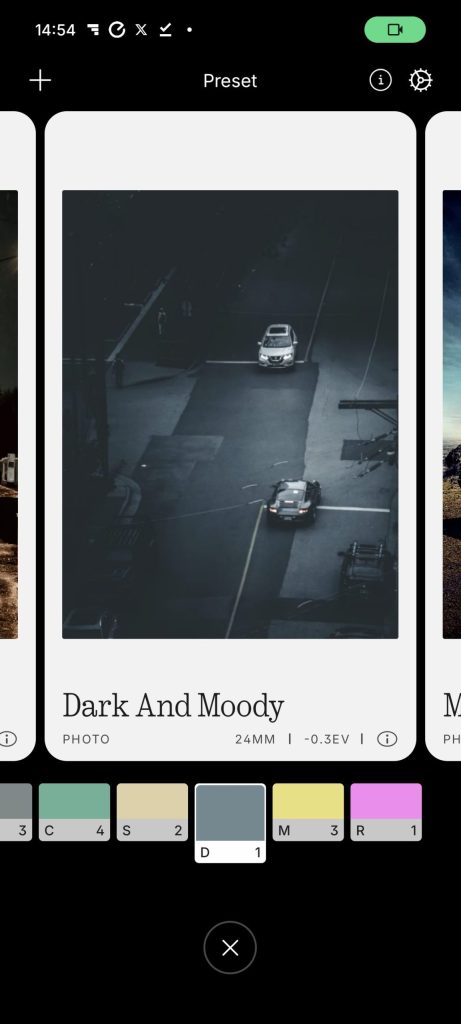
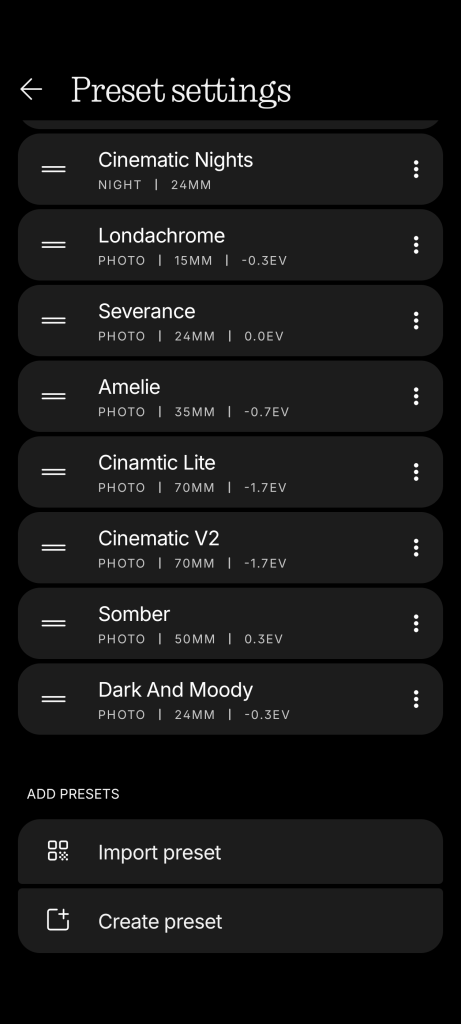
Another very fun aspect of the cameras on the Phone (3) is the ability to download, import and share camera presets. As you can see in the screenshots and photos below, this adds unique filters to the photos that you take. It’s a lot of fun to experiment with.




Glyph Matrix
Controlled by a pressure-sensitive button on the back of the Phone (3), the Glyph Matrix is a small window filled with 489 micro-LEDs that can show notifications, timers, or even let you play mini-games like spin the bottle or rock, paper, scissors. Is it a gimmick? Kinda. Do I love it? Yeah, it’s fun, and it’s 100% a conversation starter. I do wish they’d kept the old Glyph lights, too, for that extra flair.
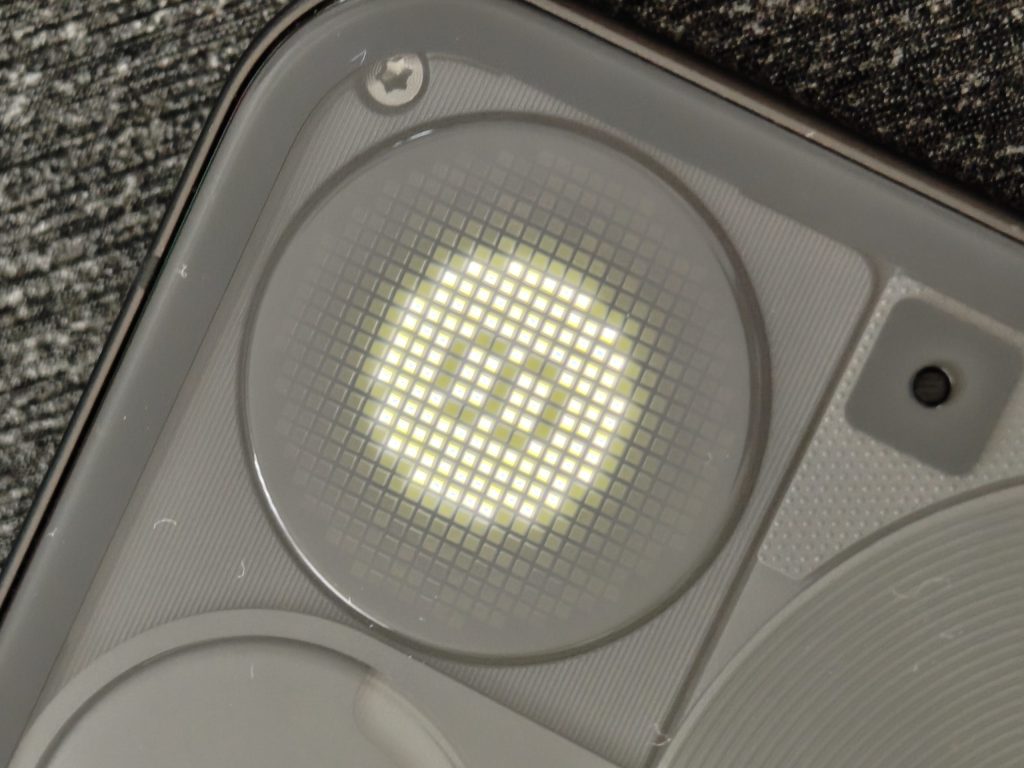
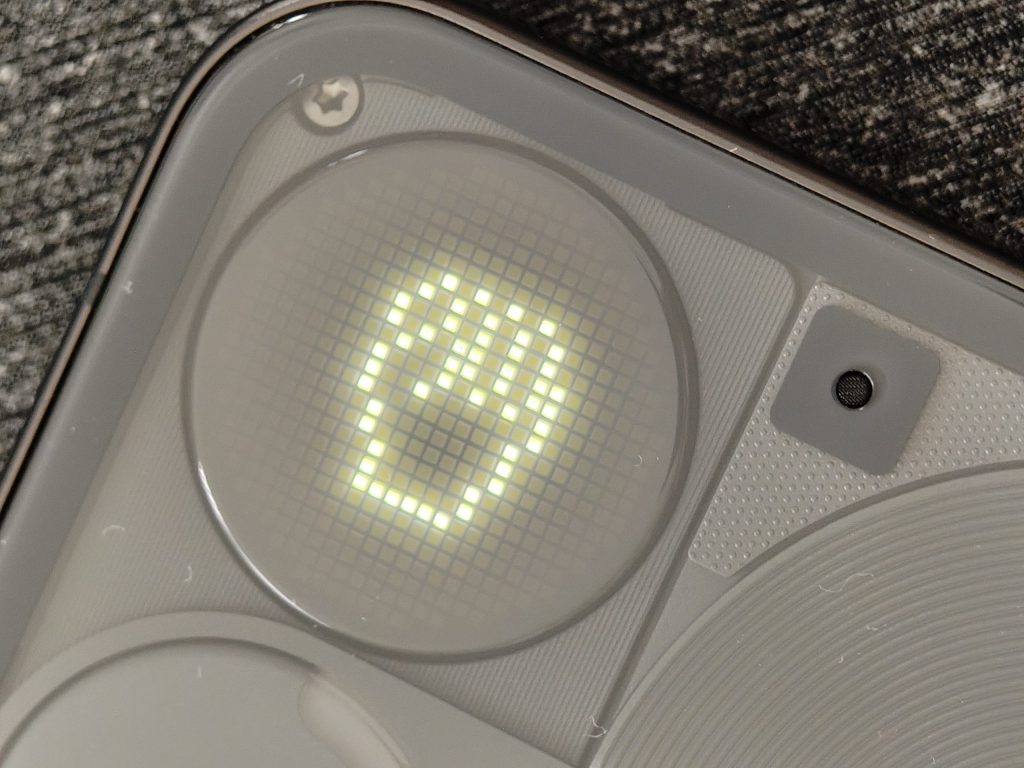
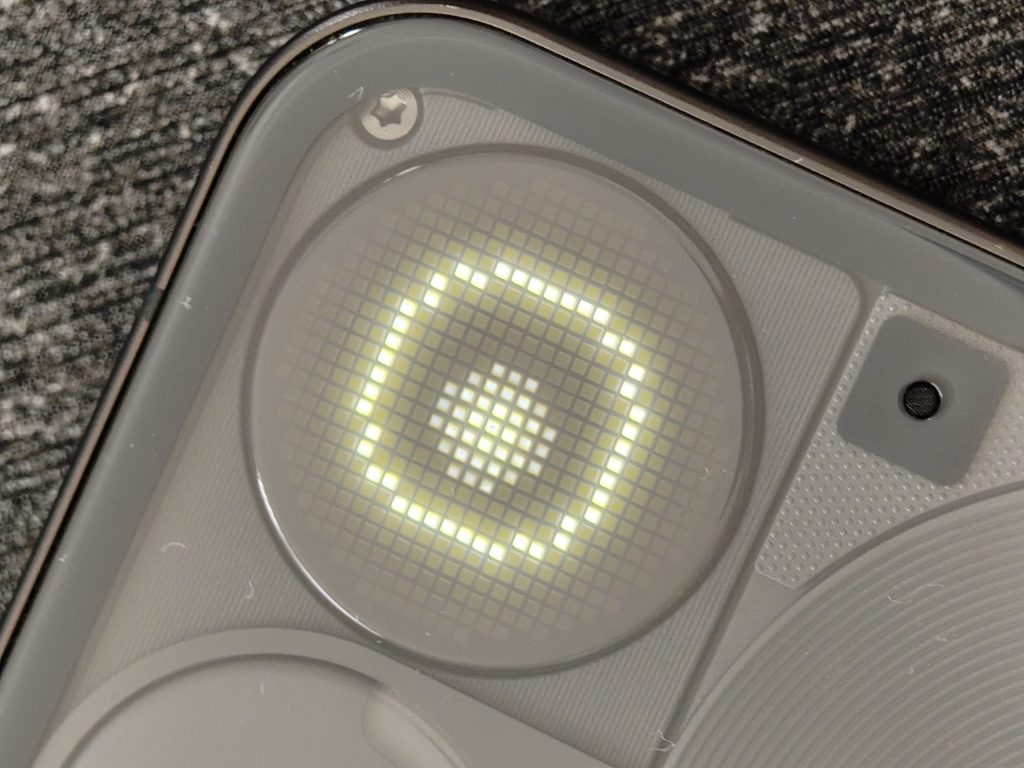
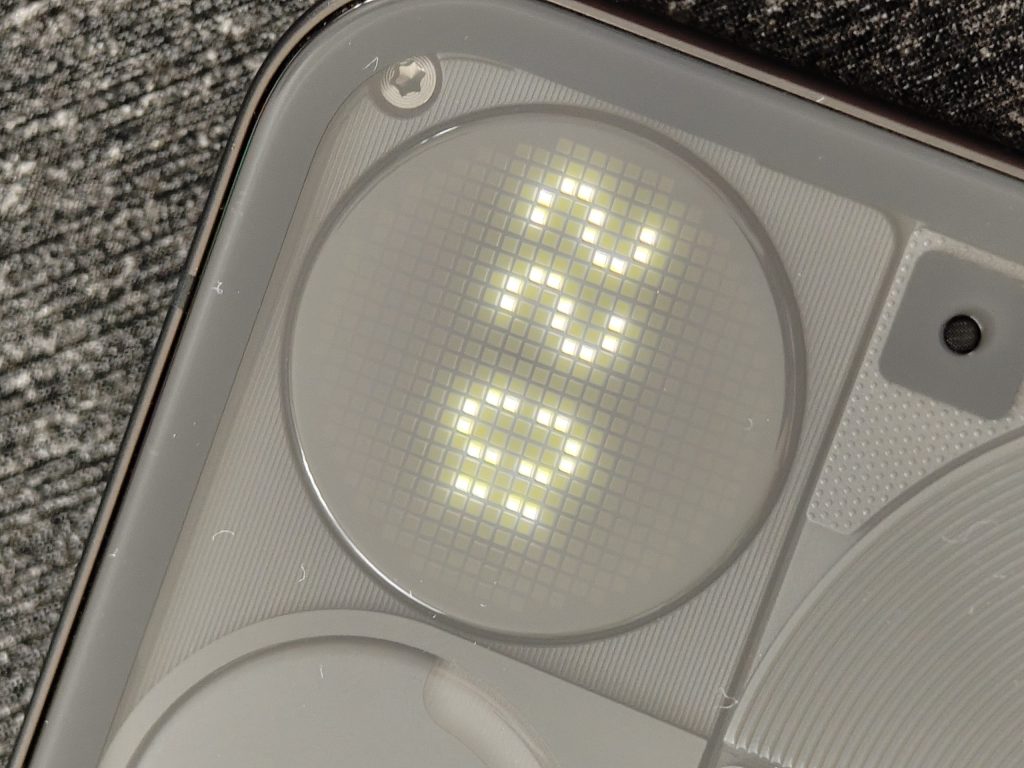
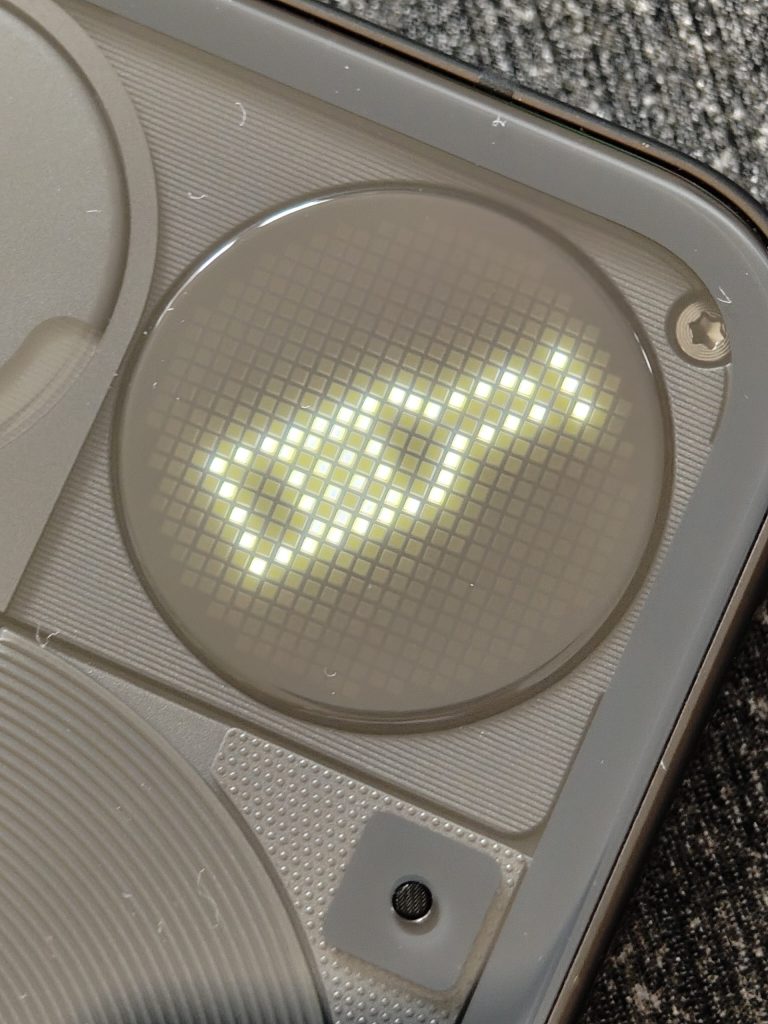
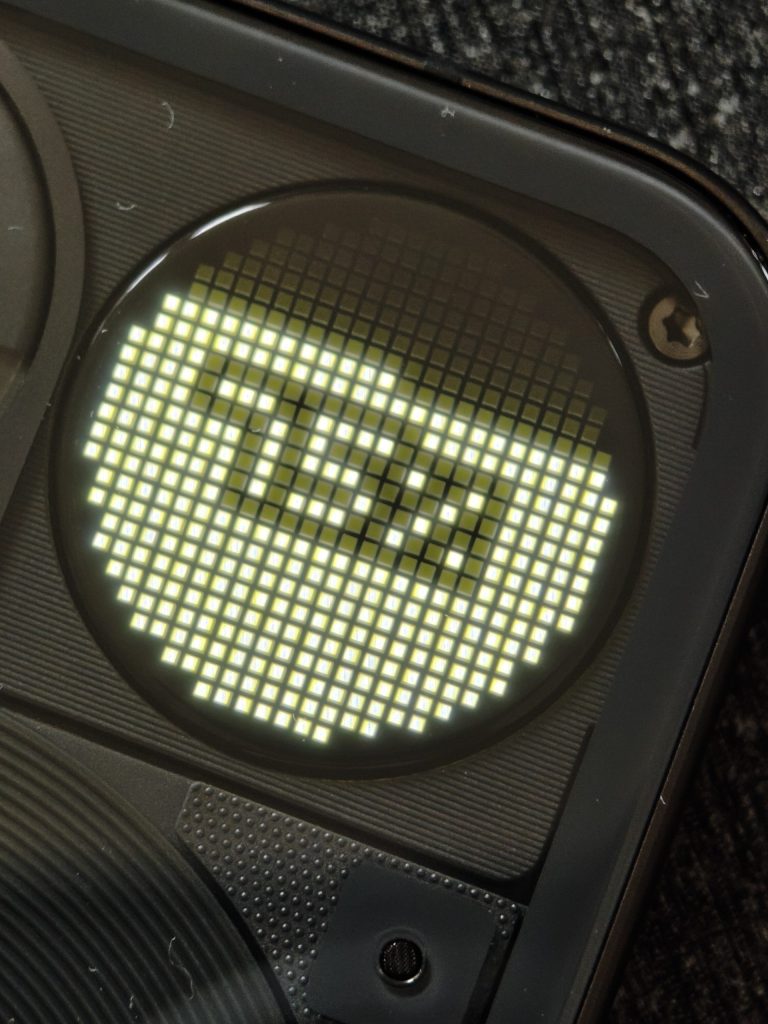
The Glyph Matrix is helpful for checking who’s calling when the phone is face-down or snapping a glyph mirror selfie with the rear camera, but it feels more like a party trick than a game-changer. The usefulness of the Glyph Matrix could easily increase when more developers create their own “Glyph Toys,” but right now, it’s more cute than essential. Still, it’s a bold move that sets this phone apart and shows that Nothing isn’t satisfied with following the crowd.
Nothing OS 3.5 – Nothing like it
Nothing OS 3.5, a custom version of Android 15, is one of the best out there. It’s clean, with a black-and-white aesthetic and dot-based widgets that are as unique as the Phone (3) ’s design. It doesn’t have a bunch of pre-installed bloatware that plagues other Android phones, and it feels perfectly optimised for the hardware. Plus, you get a solid five years of OS updates and seven years of security updates, which is fantastic.
Essential Space and AI
AI-powered tools like Essential Search and Wallpaper Studio feel thoughtful and work well. As you can see in the screenshots below, Essential Search will find results from across your phone, as well as provide the option to search the web or within other installed apps.
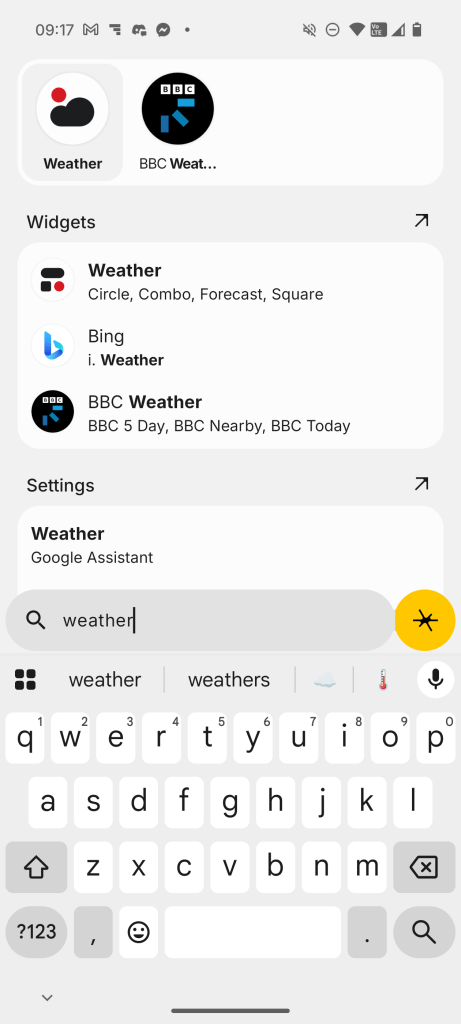
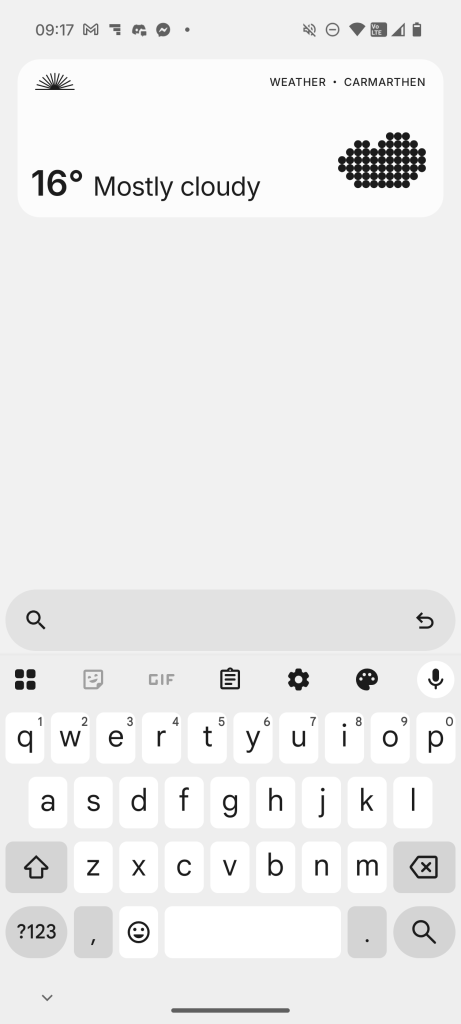

The Essential Space app, tied to the Essential Key (a dedicated button), allows you to take screenshots, record audio, or jot down notes quickly. Since launch, Nothing has continued to make improvements to the Essential Space, and it’s quickly becoming a tool that I use daily.
Battery Life
The 5,150mAh silicon-carbon battery ensures that you’ll get through your day with plenty of juice left. In my testing, I was able to game, watch hours of YouTube at maximum brightness, and listen to music and podcasts without running out of battery. When you do need to top up your battery, the Nothing Phone (3) supports 65W fast charging (no charger included, though), 15W wireless, 5W reverse wireless charging and even 7.5W reverse wired charging.
Final Thoughts
The Nothing Phone (3) is a statement piece – it’s for people who want tech that feels different. The design is fresh, the software is clean, and the Glyph Matrix is a fun addition. It’s not the most powerful or camera-perfect choice out there, but for under £800, it’s a refreshing alternative.
If specs and performance supremacy are your top priorities, there are more powerful flagships out there—but few will look and feel like this one. If you’re tired of boring designs and love a bit of tech personality, this is worth a look.
Find out more about the Nothing Phone (3) on the Nothing website.
Arc Pulse for Nothing
The Arc Pulse for Nothing Phone (3): A Minimalist’s Dream with a Premium Price Tag
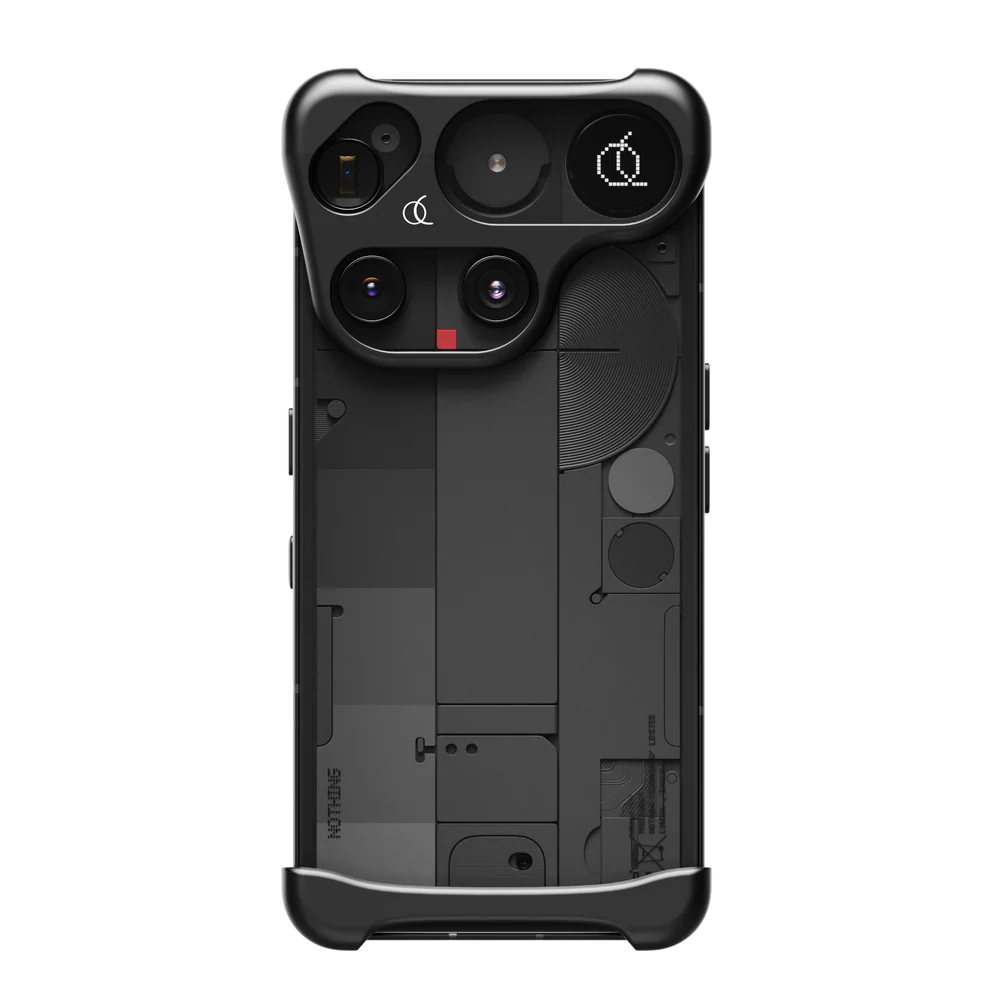
The Arc Pulse for the Nothing Phone (3) is an accessory that differs from traditional phone cases you typically use. Instead of a full-body case, it offers a unique, minimalist approach to protection, focusing on the phone’s most vulnerable points, the corners. This design choice is a direct response to the Nothing Phone (3) ’s design language, allowing the phone’s transparent back and Glyph Matrix to remain fully visible.
Design and Aesthetics
Crafted from aerospace-grade aluminium, the Arc Pulse feels like a premium product from the moment you hold it. The precision-milled metal feels solid and high-quality, perfectly complementing the industrial aesthetic of the Nothing Phone (3). It is available in matte black or silver, colours that complement the phone’s design.
Protection and Functionality
The core function of the Arc Pulse is to protect against corner drops, which are often the most damaging to a phone. It features a dual-layer design, consisting of a hard, metal outer shell to distribute the force of an impact and a softer, shock-absorbing inner lining to dampen the shock.
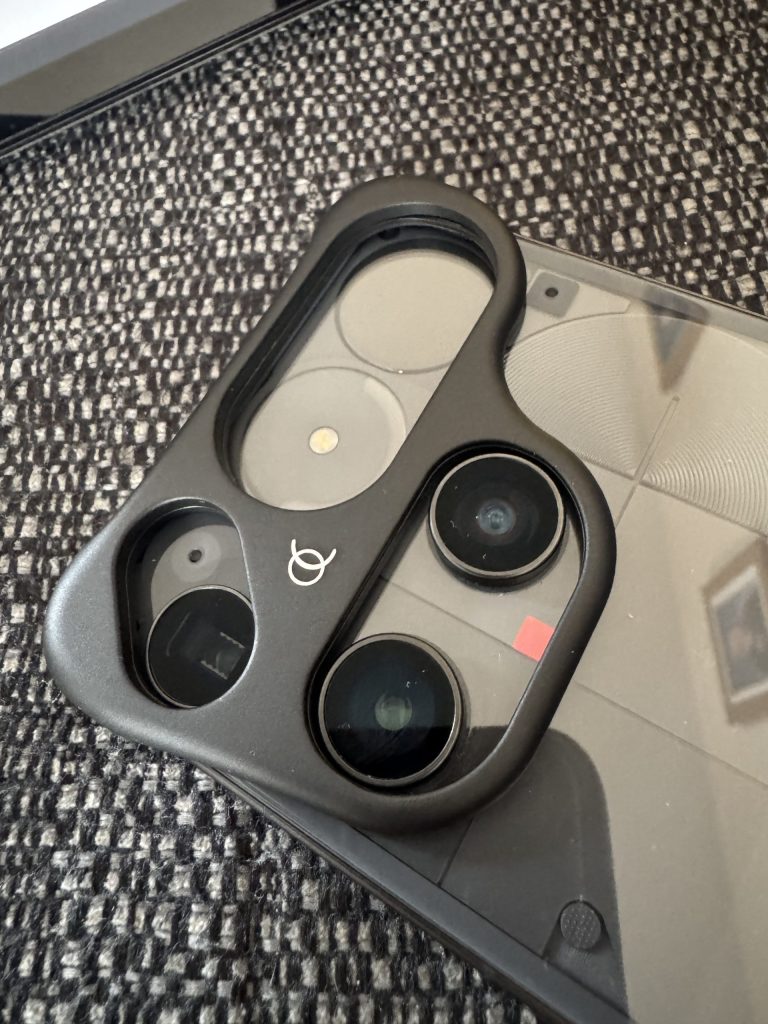
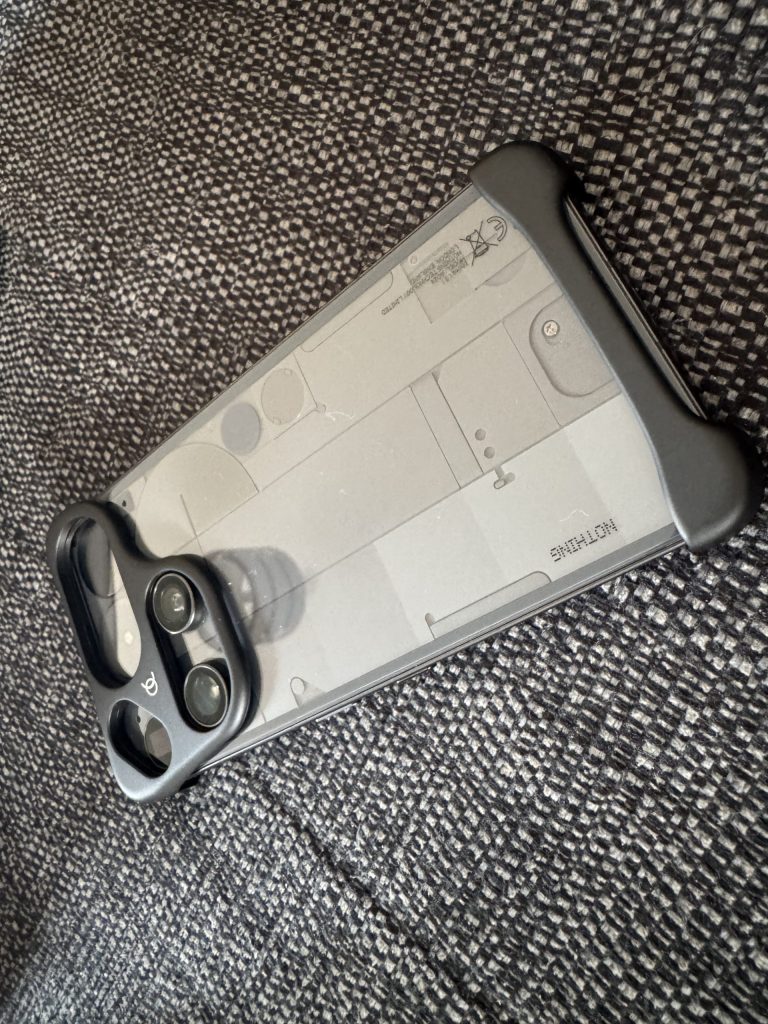
This approach is surprisingly effective for flat-surface drops. The case also provides a small lip that keeps the screen and camera from touching flat surfaces.
Who is it for?
The Arc Pulse for the Nothing Phone (3) is a masterclass in minimalist design and engineering. It’s a stylish, well-engineered accessory that perfectly complements the phone’s aesthetic, providing a clever form of subtle protection. However, its high price and limited protection make it an impractical choice for the average user. It is a luxury item for those who prioritise form and feel over comprehensive, worry-free protection.
You can read more information about the Arc Pulse for Nothing on the Official Arc Website.
SANDMARC Products – style and substance
Up next in the Summer of Tech 2025 are three products from the San Diego-based company, SANDMARC. Known for their high-quality Apple products, I had the opportunity to test out a travel backpack, the Flex Dock and an Apple Watch strap. In the following review, I will detail my experience with each product.
Titanium Edition – Apple Watch Band | Black
A Major Style Upgrade for Your Apple Watch?
The Apple Watch is a great piece of tech, but the bands it comes with are either really sporty or, if you go for Apple’s link bracelet, very expensive. I wanted something in between for my own watch—something that looks good for work or a night out but doesn’t cost as much as the watch. That’s what led me to the SANDMARC Titanium Edition band.
First Impressions: Looks the Part
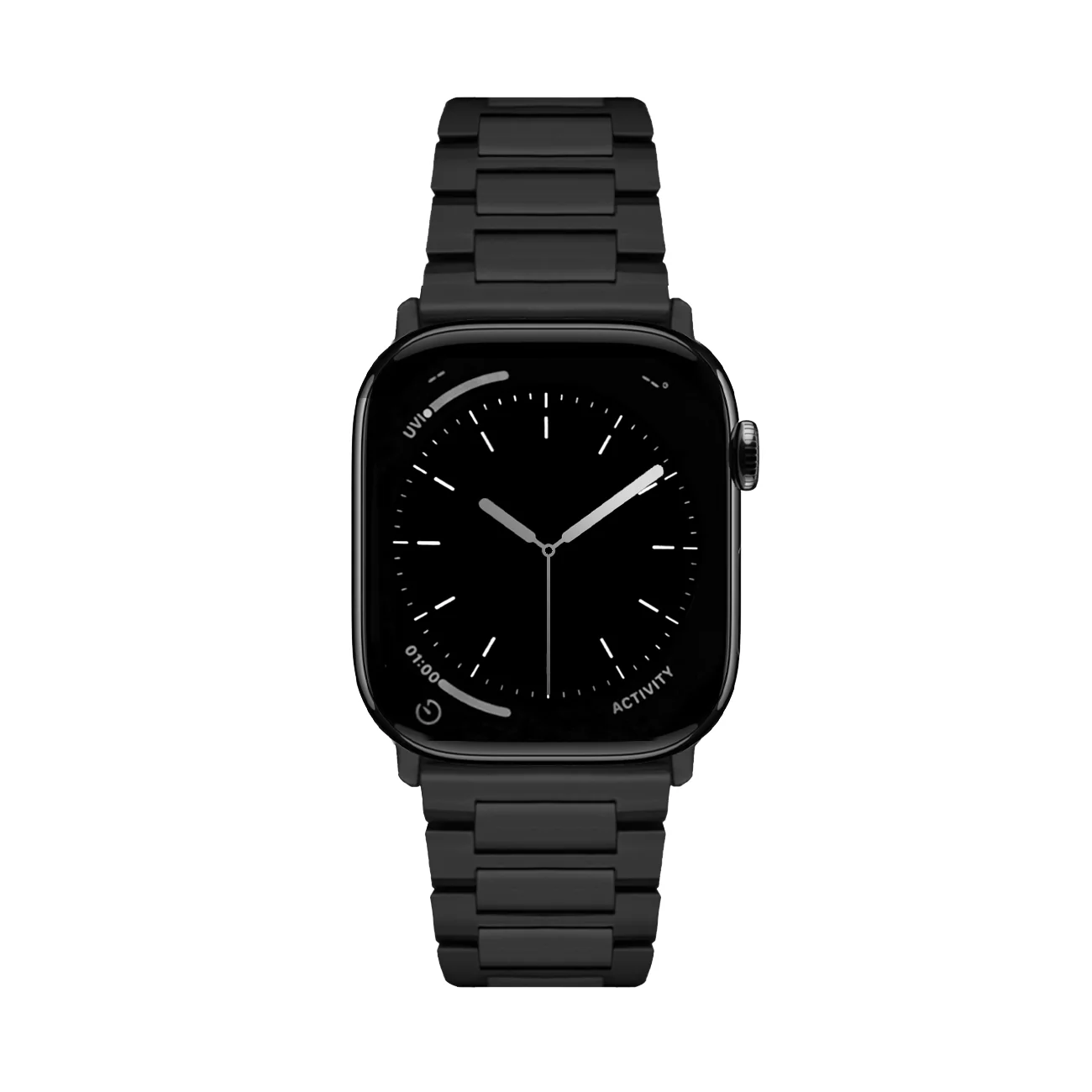
As soon as I opened the box, the band looked and felt well-made. The titanium is lighter than I expected, which is a big improvement over some heavy stainless steel bands I’ve used before. The black matte finish gives it a subtle, stylish look and makes the Apple Watch seem more like a real watch than just a gadget. It looks high-end and matches the watch’s dark style. The butterfly clasp closes with a solid click and feels secure on my wrist.
Living With It: The Good and The… Tricky
Attaching the band to the watch is easy, just like with any other Apple Watch band. The hard part is sizing it. SANDMARC gives you a small tool to remove links, which is helpful. Still, you need some patience because taking out the pins requires a steady hand. I got it done without any problems, but I can see how someone might get frustrated and decide to ask a jeweller for help.
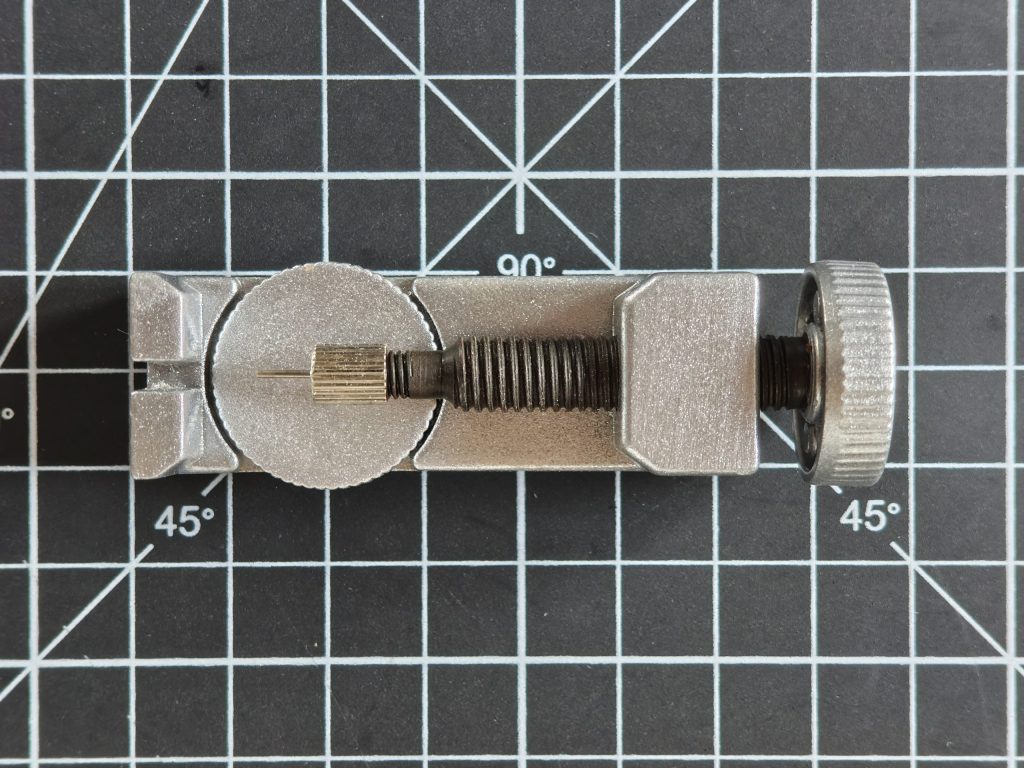
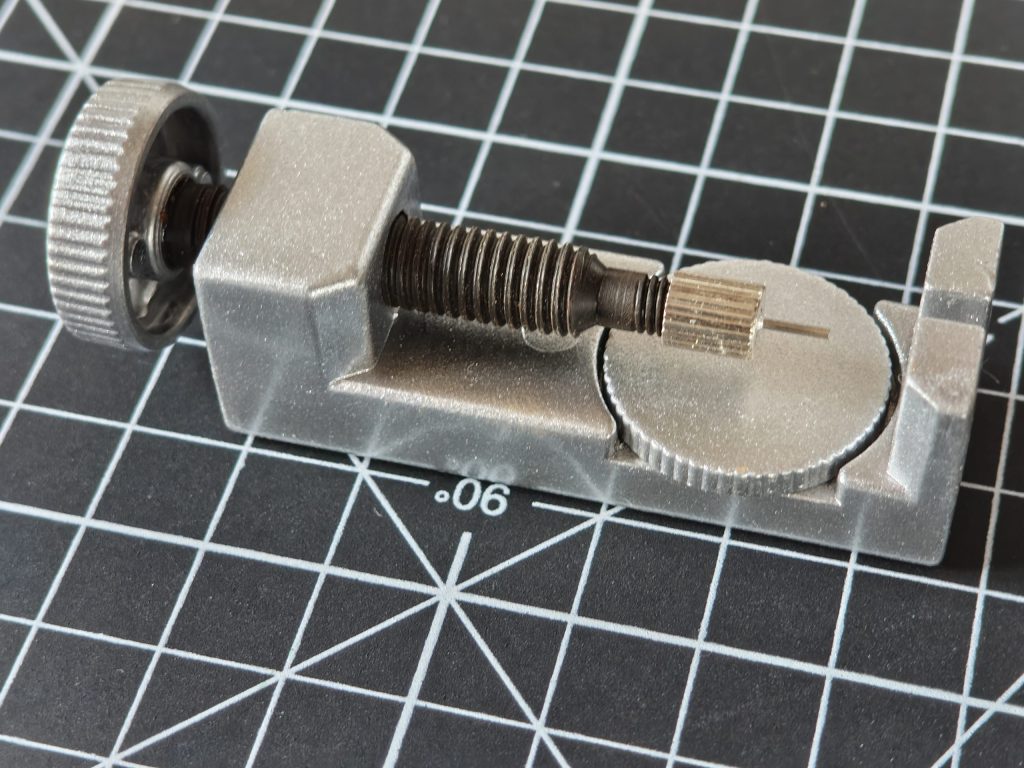
Once you’ve got the correct size, it’s very comfortable. I did find it pulled an arm hair once or twice in the first couple of days, but that’s pretty standard for link bracelets. I was lucky and found a perfect fit by removing three links, but if your wrist is between sizes, you might find it’s either a little too snug or a bit too loose.
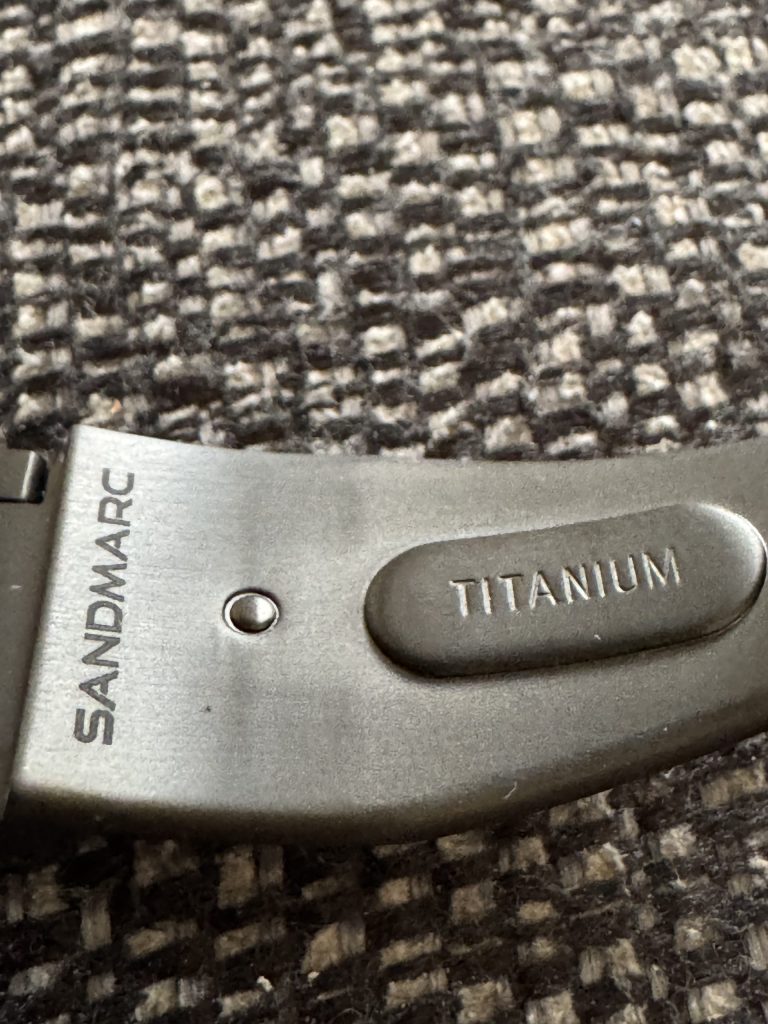
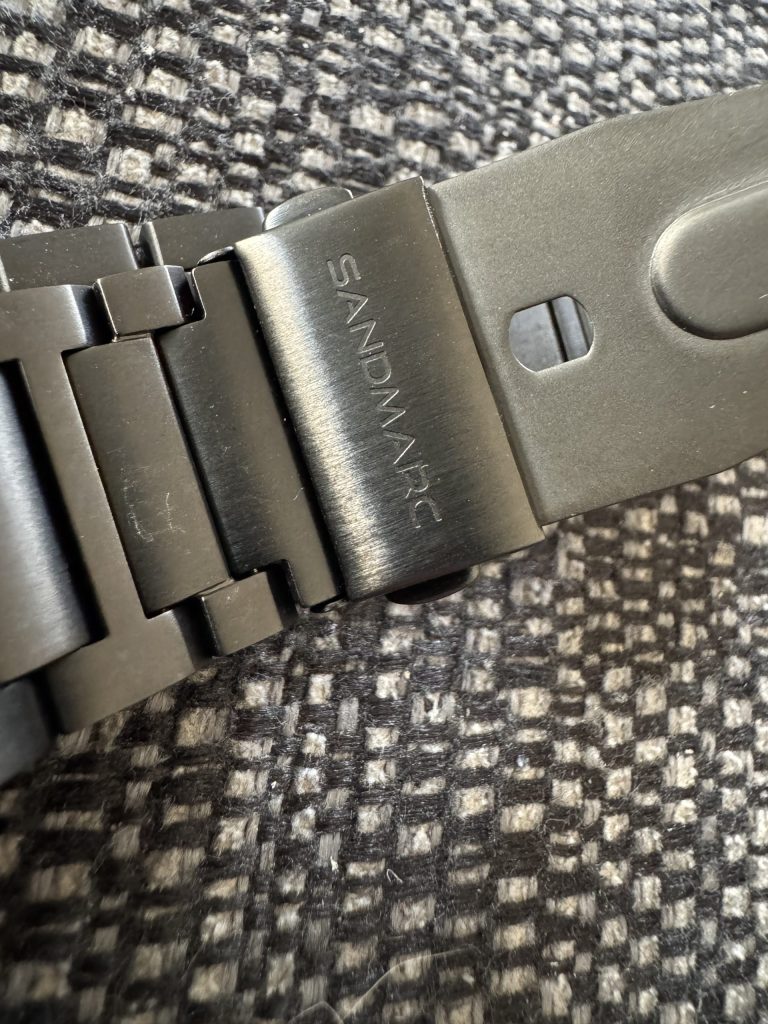
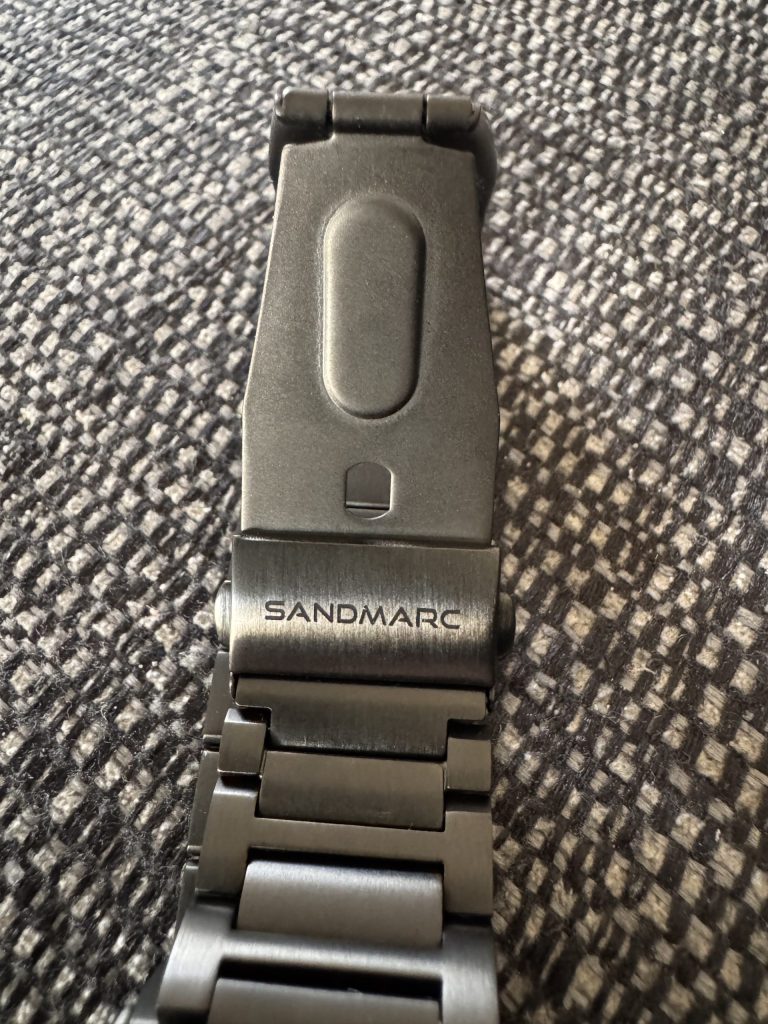
The black Diamond-like Carbon coating looks great, but it can get scratched. After wearing it every day for a few weeks, including while typing at my desk, I noticed a few small scuffs on the clasp. They aren’t easy to see, but if you want the finish to stay perfect, you’ll need to be careful.
The Verdict: Is It Worth Your Money?
So, the big question: should you buy it?
At about £150, this band sits in the middle price range. It’s much better in quality, feel, and style than the cheap bands you find on Amazon, but it costs less than half of Apple’s Link Bracelet.
I would recommend it, with a few notes. This band is great if you want to make your Apple Watch look better for daily use or work. It feels good, looks nice, and uses quality materials. But if you don’t like making small adjustments or if you’re hard on your watches, you should think about the chance of getting scuffs on the black finish.
Overall, it’s a fantastic band that strikes a great balance between price, style, and quality. It has easily become my go-to for anything that isn’t a workout.
Here’s the link to find out more, https://www.sandmarc.com/products/titanium-edition-apple-watch-band-black
Flex Dock – MagSafe & Apple Watch
If you’re an Apple user, you know the struggle of keeping your devices charged and organised. The SANDMARC Flex Dock is a pretty sleek solution designed to tidy up your charging situation, especially if you own an iPhone and an Apple Watch.
The design of this dock immediately stands out. Made from industrial-grade aluminium, it feels solid and high-quality. It’s also light and easy to fold, which is great for travellers. You can adjust the dock to different angles, so you can keep your iPhone upright while it charges or fold it down to charge your AirPods.
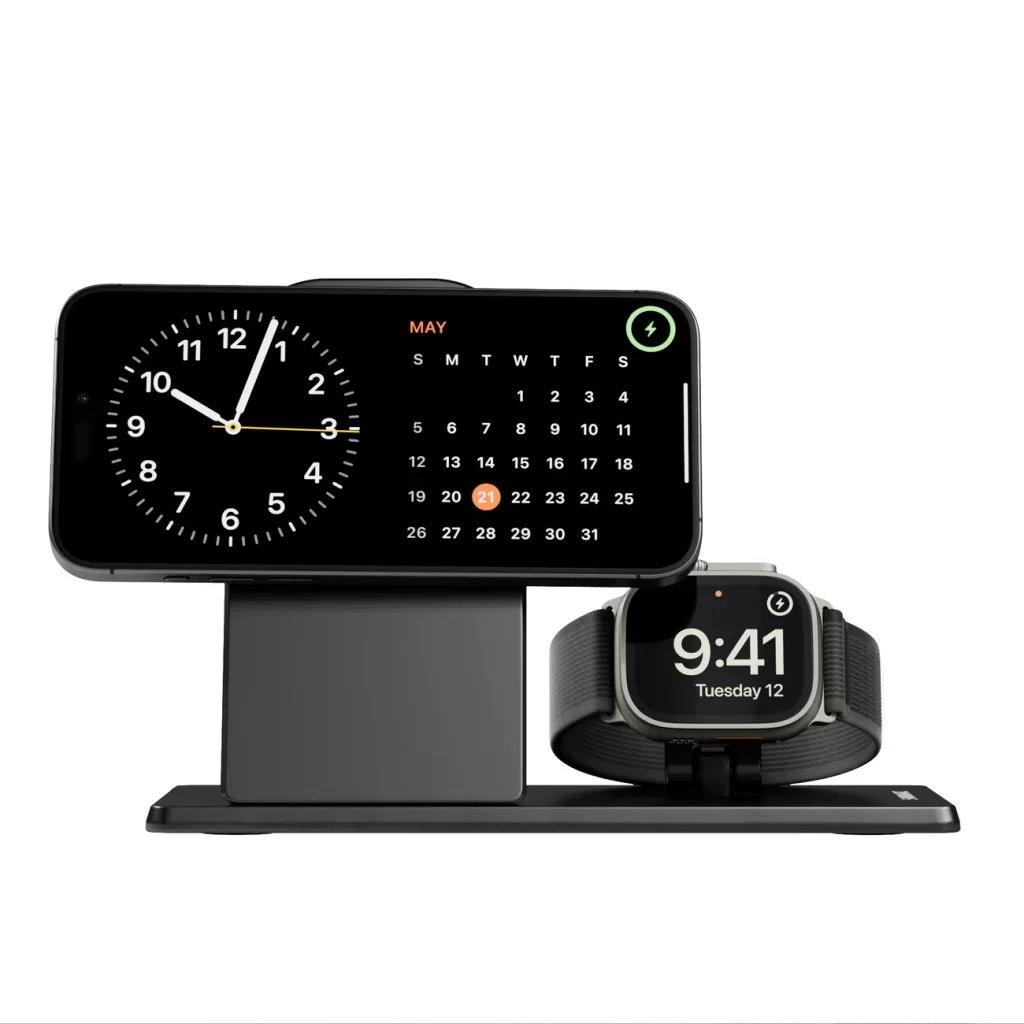
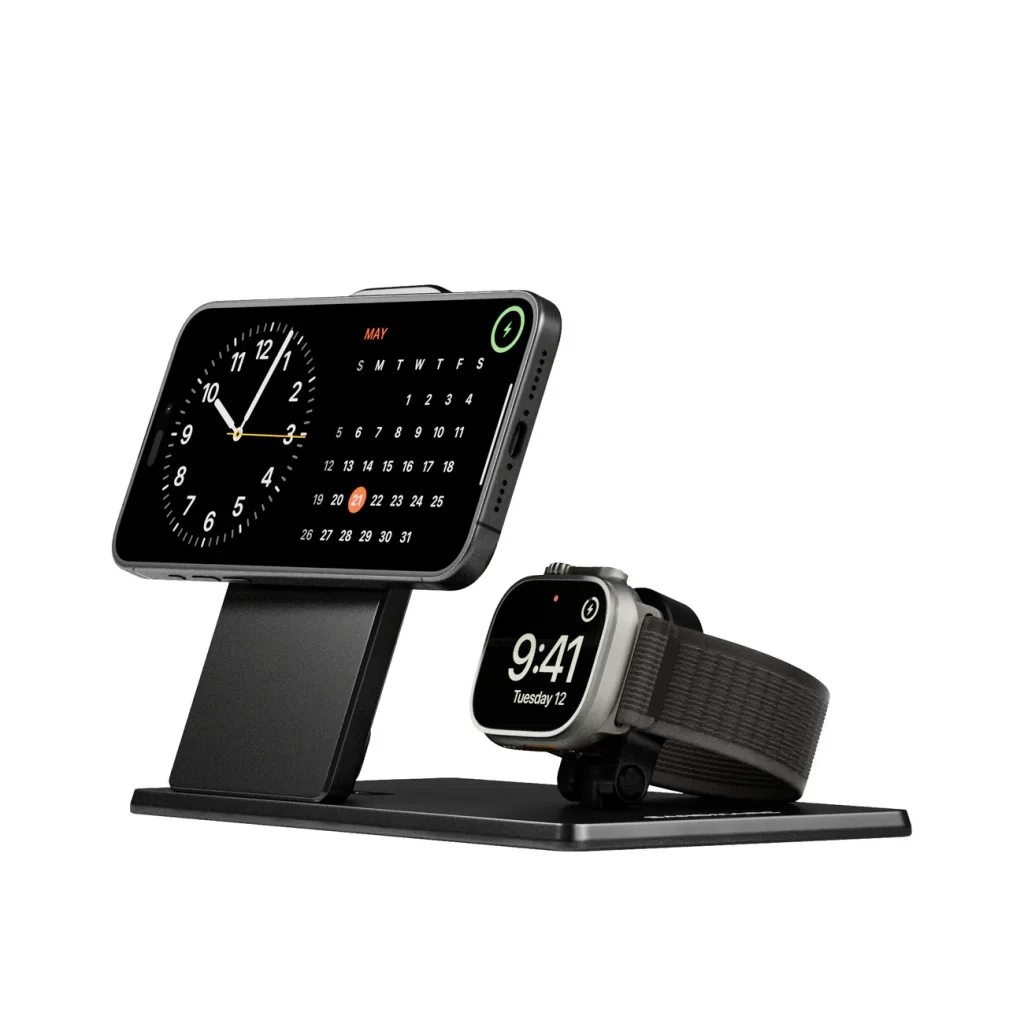
It’s a “2-in-1” dock, meaning it has a spot for both your MagSafe charger and your Apple Watch charger. This is great for keeping everything in one place, but it’s important to remember that the dock itself doesn’t come with the chargers. You have to provide your own official Apple MagSafe and Apple Watch chargers to insert into it.
One of the best features is the built-in cable management. It has a structured path for the cords to run, which keeps them out of sight and prevents that tangled mess you often get on your nightstand or desk. The dock also has cut-outs to keep your MagSafe charger cool, which is a nice touch.
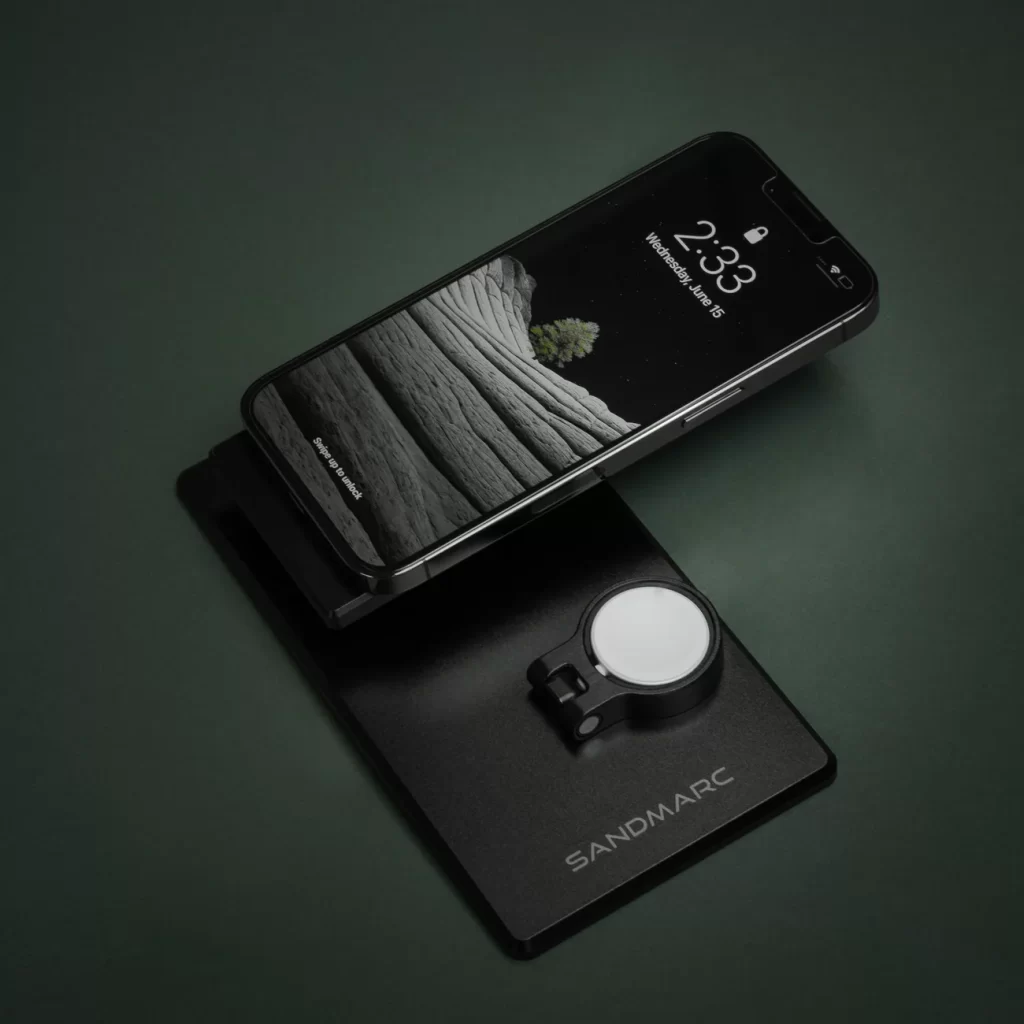
The SANDMARC Flex Dock does cost a bit more, especially since you need to buy the chargers yourself. Still, its strong build and smart, travel-friendly design make it a good choice if you want a tidy charging setup.
Want to know more? Here we go, https://www.sandmarc.com/products/flex-dock-apple-magsafe-charging
SANDMARC Travel Backpack
If you’re a content creator or a photographer who loves to travel, you’ve probably faced a classic dilemma: do you choose a bulky camera bag with lots of compartments or a sleek travel backpack that doesn’t quite fit all your gear? The SANDMARC Travel Backpack is designed to solve that problem, and it does a fantastic job.
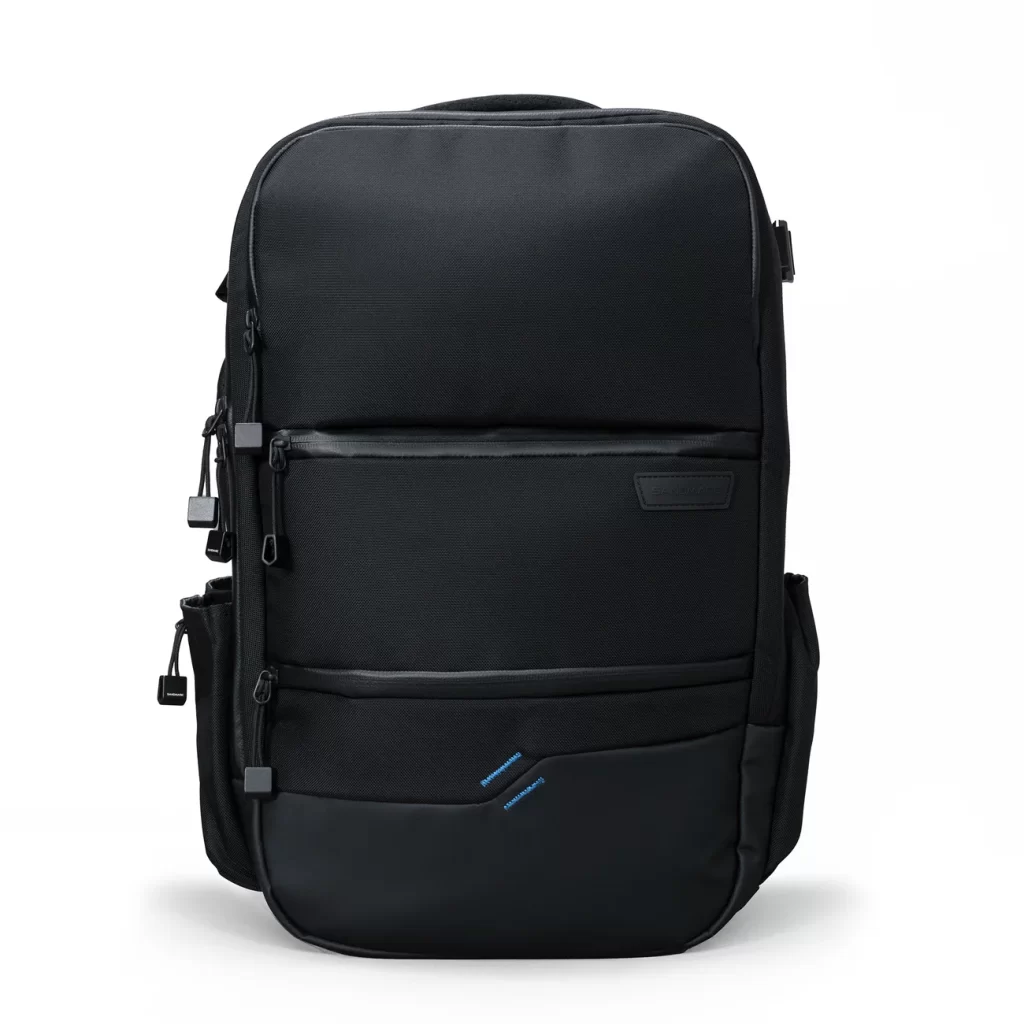
From the outset, it’s clear that this bag will last a long time. It’s made with tough, weatherproof ballistic nylon and features sturdy YKK zippers, so you can travel with peace of mind knowing your gear is safe.
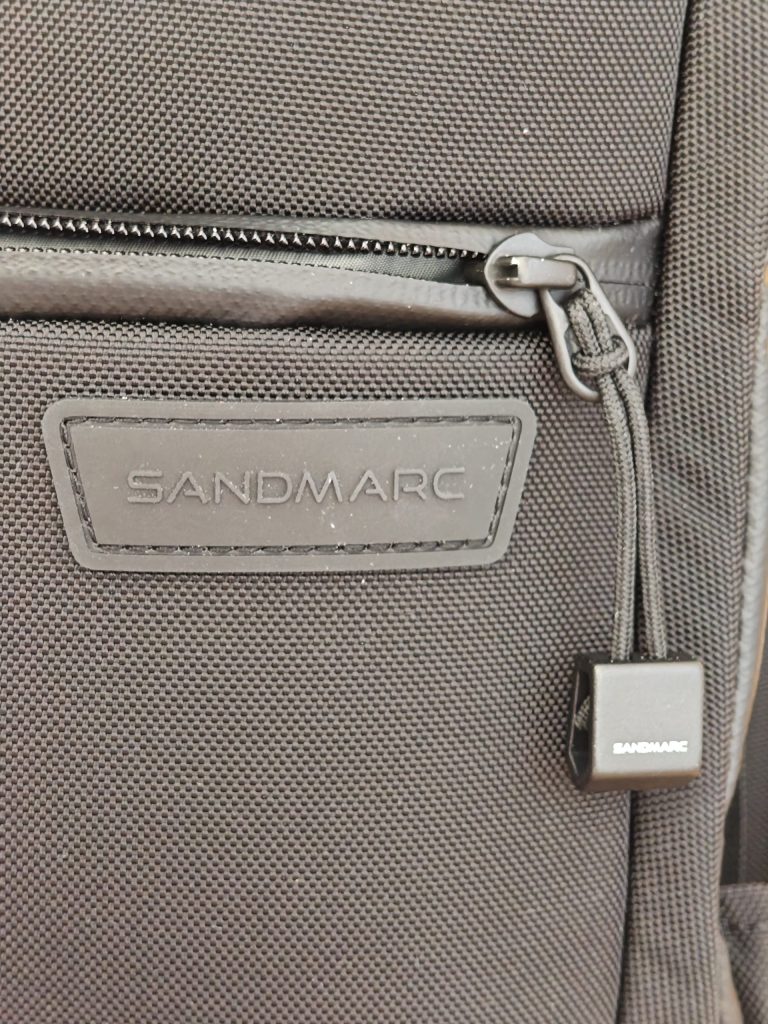
The aluminium parts add a touch of class, and the minimalist, clean look is a refreshing change from the overly complicated style of some camera bags.
What stands out, though, is how thoughtfully it’s organised inside. There’s a dedicated tech compartment that can hold laptops and tablets, as well as special partitions for other accessories and gadgets.
If you’re someone who loves gadgets, you’ll appreciate just how easy it is to keep everything in its place. There’s even a fun little shoulder strap holder for your iPhone, perfect for grabbing quick POV footage on your adventures.
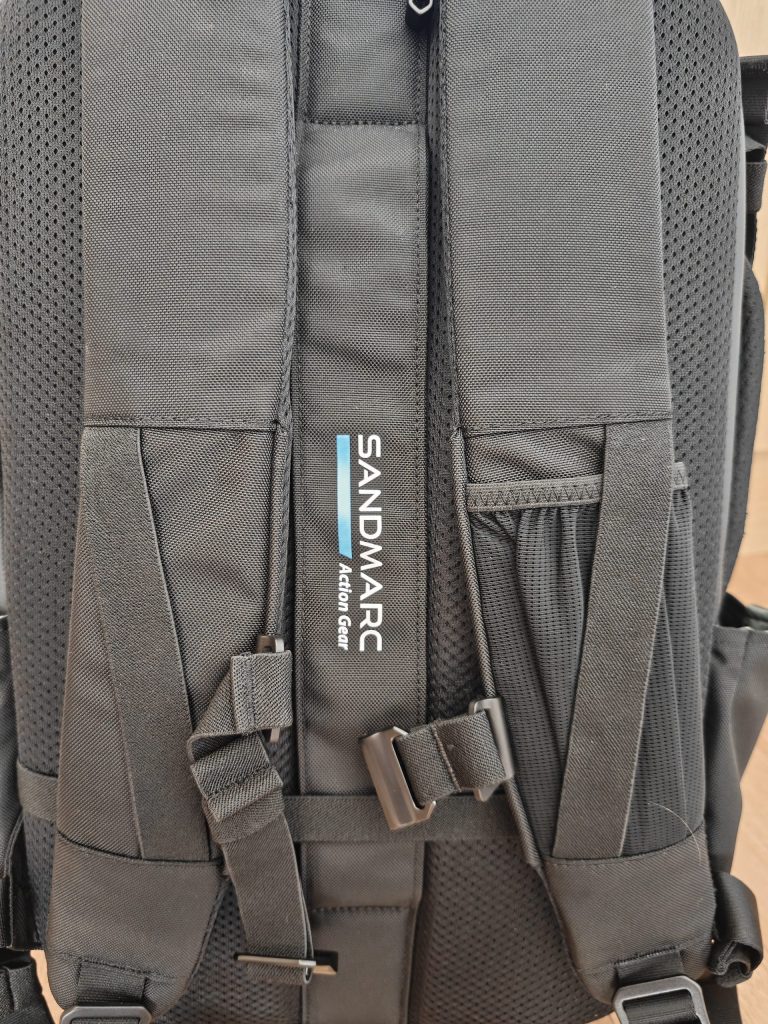
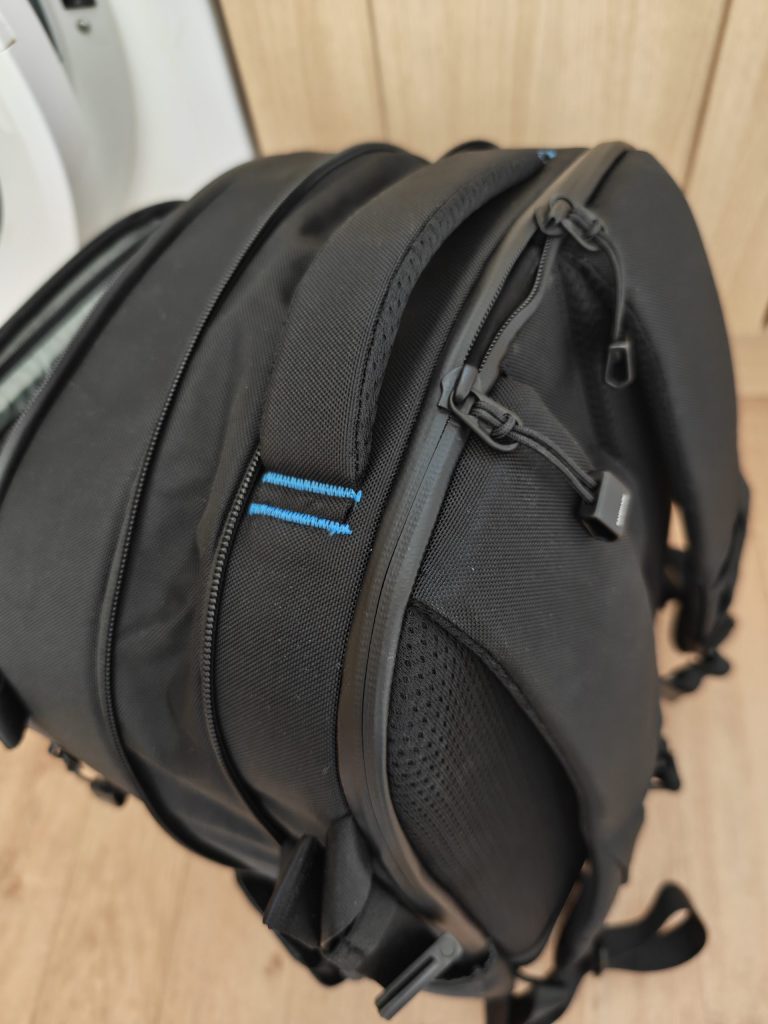
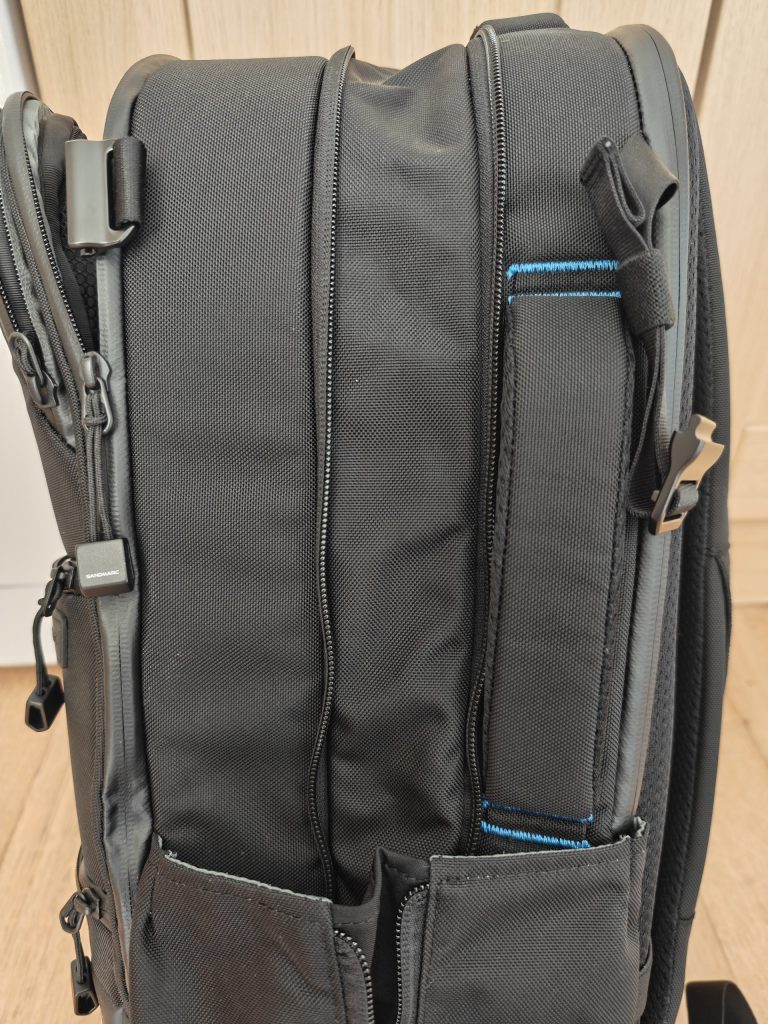
The bag is also incredibly versatile. It expands from 25L to 30.5L, providing plenty of room if you need to pack a few extra clothes or a jacket. It’s TSA-approved and has a handy luggage pass-through strap, making airport travel a breeze.
You can even carry it like a duffel bag, thanks to the soft, cushioned side handles, making it easy and comfortable no matter how you prefer to travel.
All in all, the SANDMARC Travel Backpack is a fantastic choice for anyone who wants to carry a lot of tech and gear without sacrificing style or convenience. While it’s a bit of an investment, the quality and thoughtful design make it well worth considering—especially for creators who are always on the move.
If you’re interested in getting your own SANDMARC Travel Backpack, here’s more information for you https://www.sandmarc.com/products/travel-backpack.

